Marshal

01 / 04

Schools

School management · Web + Android

schools.marshal.co.ls/insights
Marshal Schools Insights dashboard with school average, pass rate and grade results, beside the class register on a phone Marshal CRM deals board with Lead, Qualified, Proposal Sent and Negotiation columns Marshal Business Suite till screen with product grid, current sale and a fiscal receipt with QR code Marshal Fields soil test session showing the field boundary on a satellite map with sampling points

Registers, marks, report cards, fees and messages home — the whole school year in one place.

Explore Schools

Software that runs the day — built in Lesotho, kept in maloti, on the phone people already have.

AdmissionsClass registersStaff clock-inTimetablePipelinesNext stepsDeal healthActivitiesPoint of saleLekuka e-invoicingFiscal daysCash dropsFields & landField ownersContractsSeasons

01 / School management · Web + Android

Marshal Schools

Registers, marks, report cards, fees and messages home, for every learner, teacher and parent at your school. On the web and on the phone.

  • Registers taken on the phone
  • Your school's own grading rules
  • Report cards parents open at home
schools.marshal.co.ls/insights
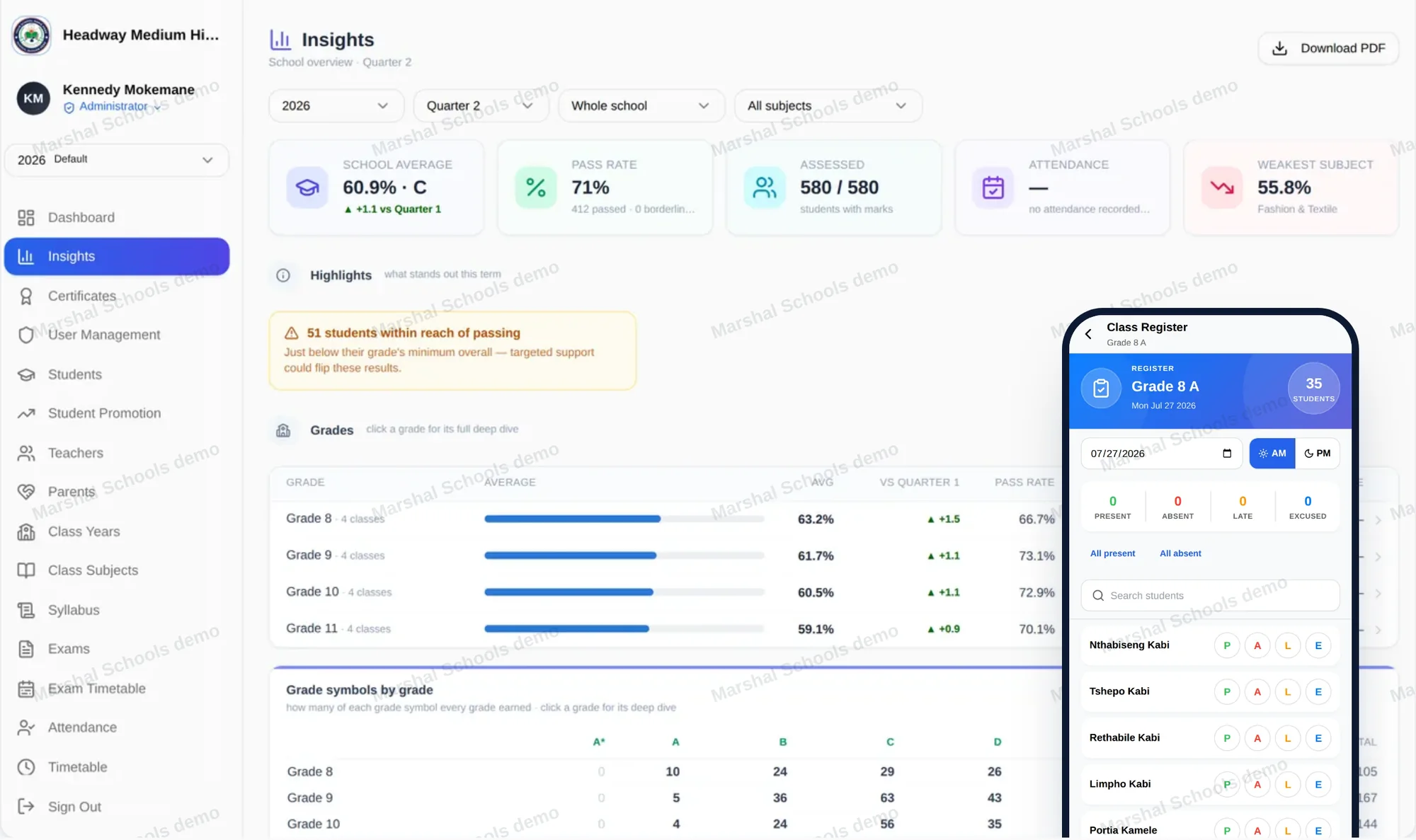
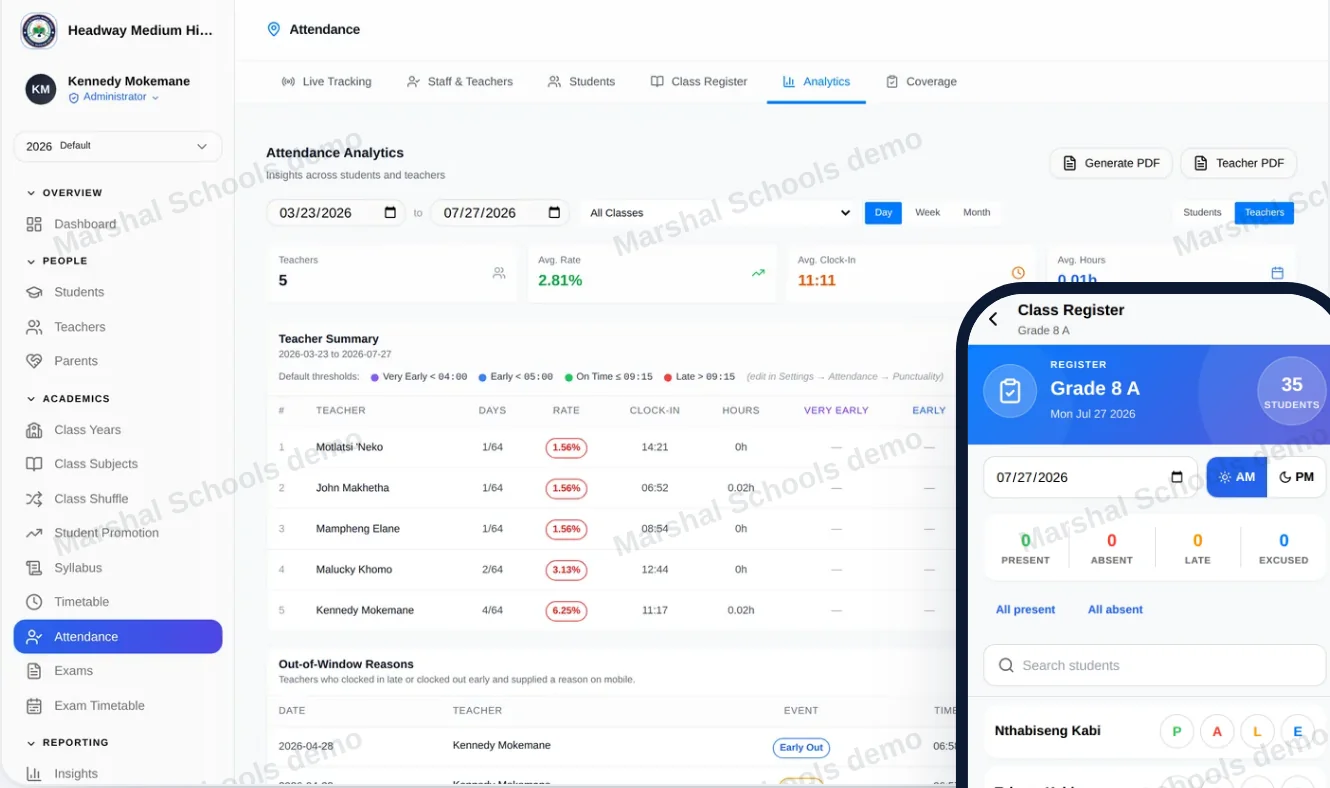
Marshal Schools Insights dashboard with school average, pass rate and grade results, beside the class register on a phone
14modules, from admissions to promotion
7moments of the school year, each covered
6kinds of people, each with their own view

Built around the way a school year actually runs.
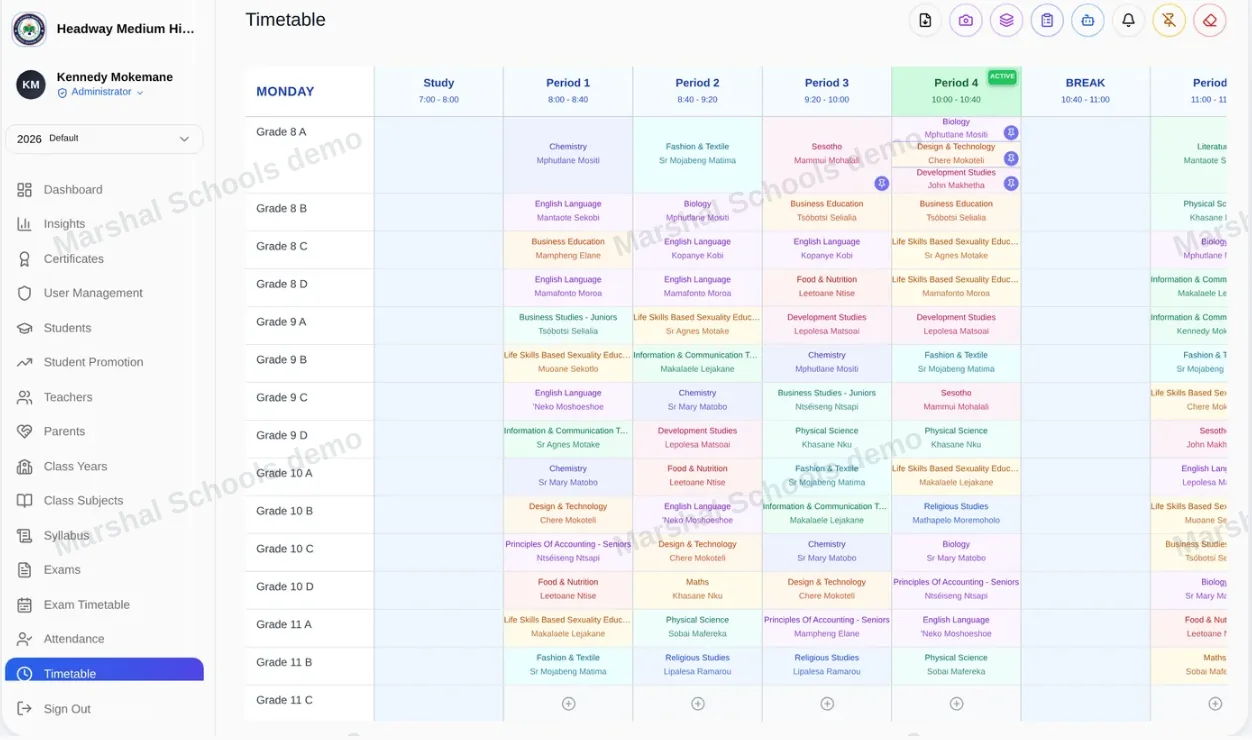
schools.marshal.co.ls/timetable
Schools — Opening the year

01 Opening the year

Every teacher finds their classes waiting on day one.

Enrol learners, set up classes and subjects, and plan the week on one timetable board.

schools.marshal.co.ls/attendance
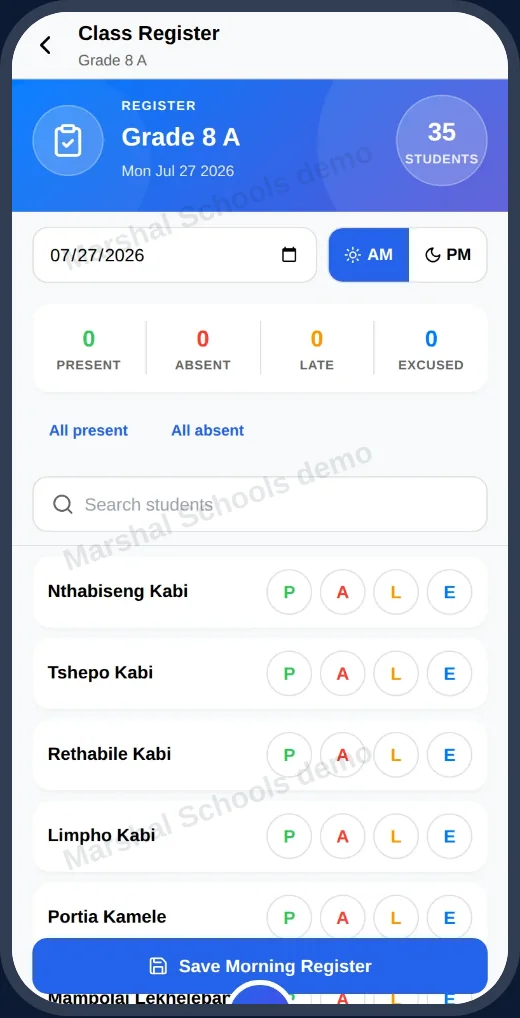
Schools — Every morning

02 Every morning

The register, lesson by lesson, on the teacher's phone.

Staff clock in at the gate. The principal sees who is away, which classes have no register yet, and which learners keep missing school.

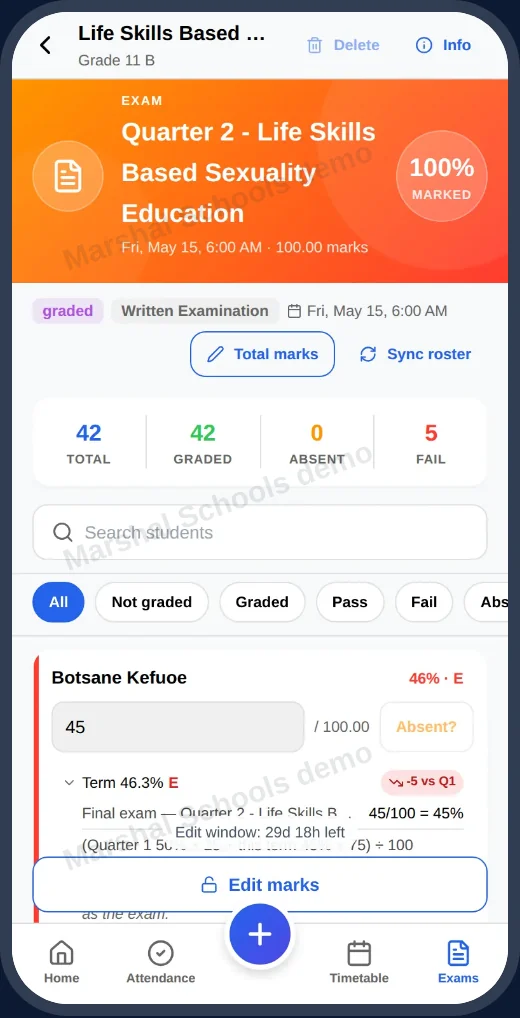
schools.marshal.co.ls/exams
Schools — Every term

03 Every term

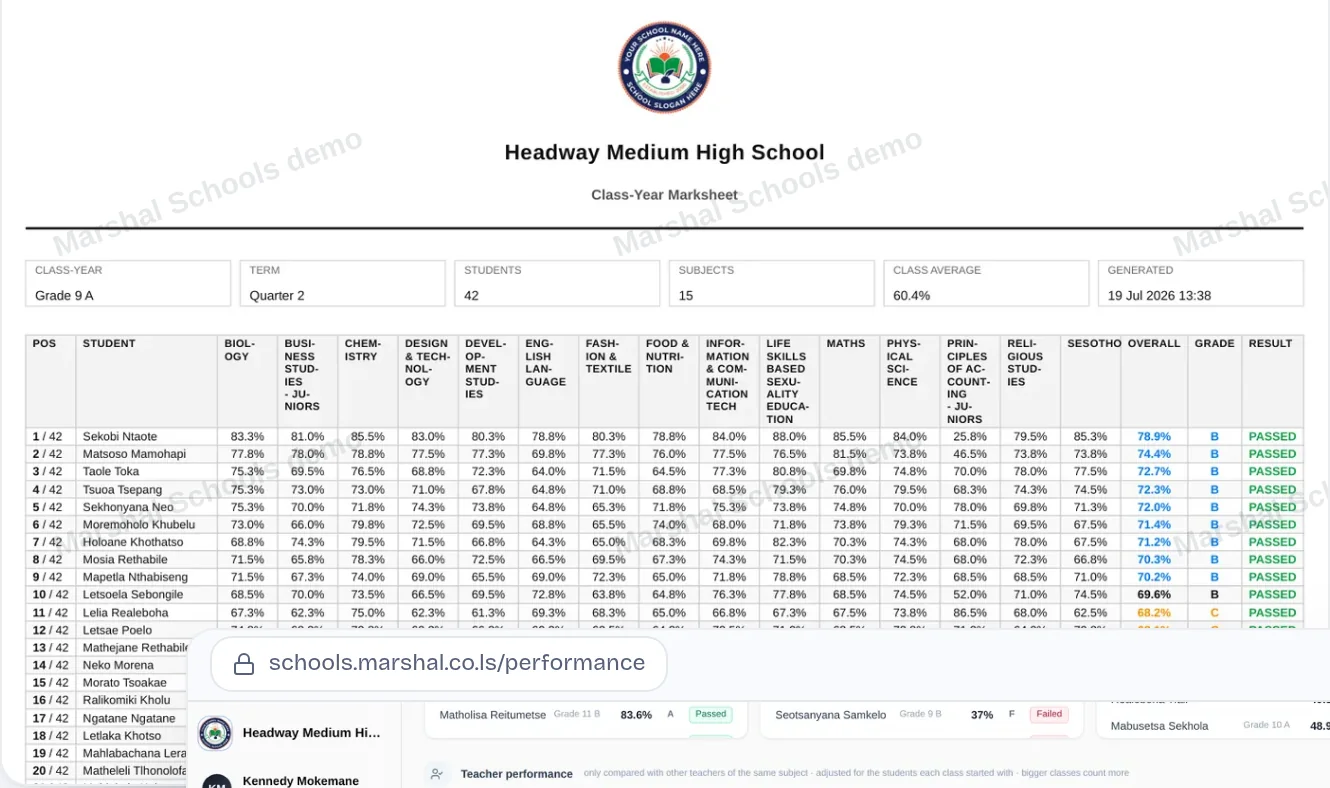
Totals, symbols and positions — worked out with your rules.

Teachers enter marks and continuous assessment. Marshal shows which subjects and learners need help.

schools.marshal.co.ls/settings/academic/report-templates
Schools — End of term

04 End of term

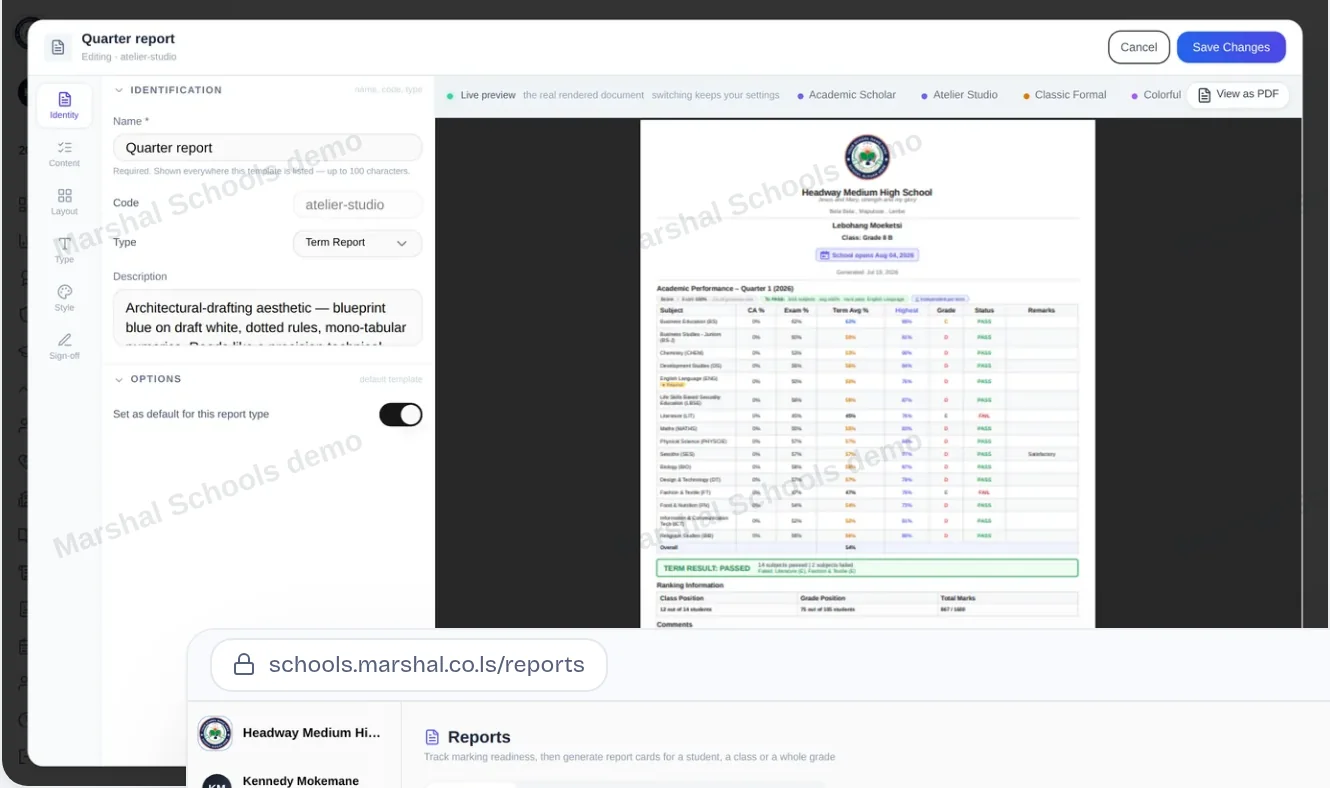
Lay out the report card once. Print a whole class at once.

Your school's crest, remarks and signatures — or let parents open theirs on the phone.

schools.marshal.co.ls/fees
Schools — All year

05 All year

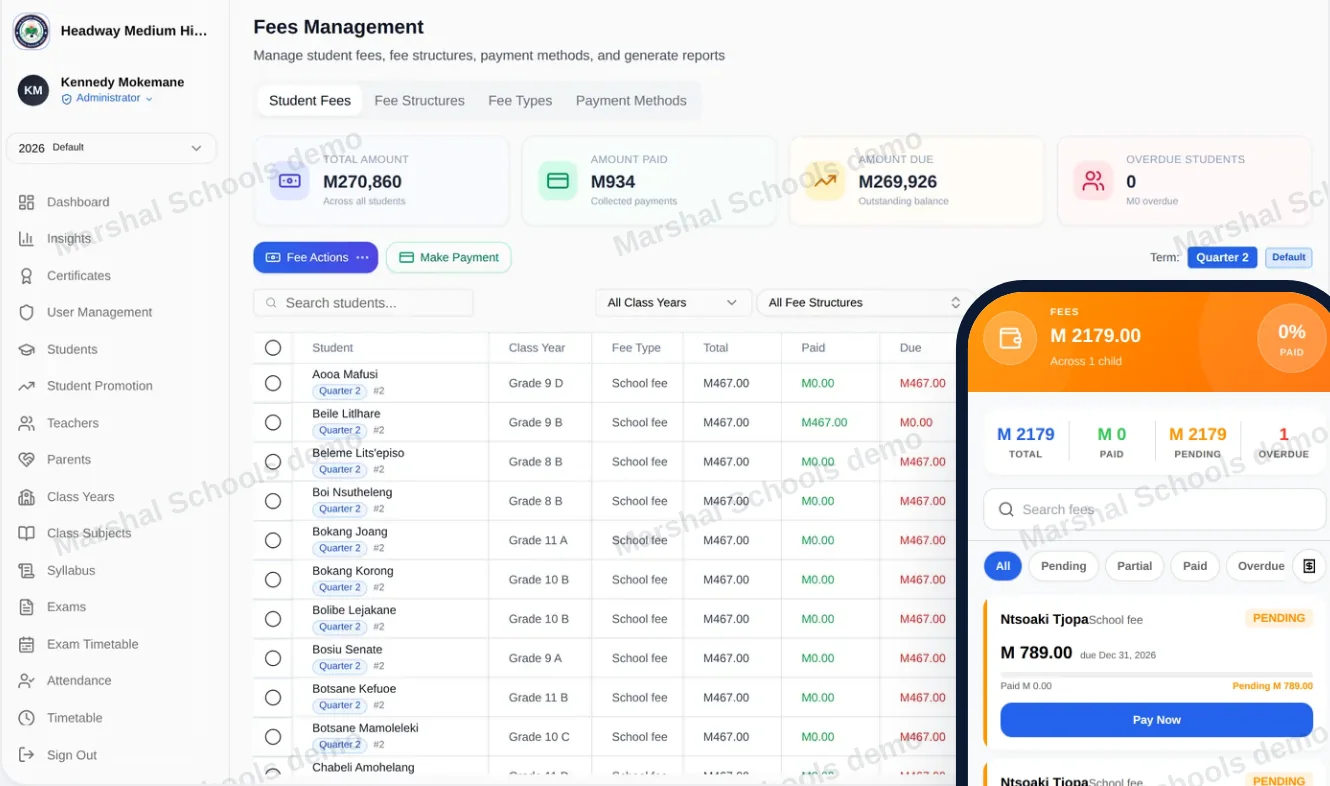
Fees, receipts and a proper ledger.

Bill by class or by learner, take payments, print receipts and keep the accounts in a proper ledger, with payroll and staff loans alongside.

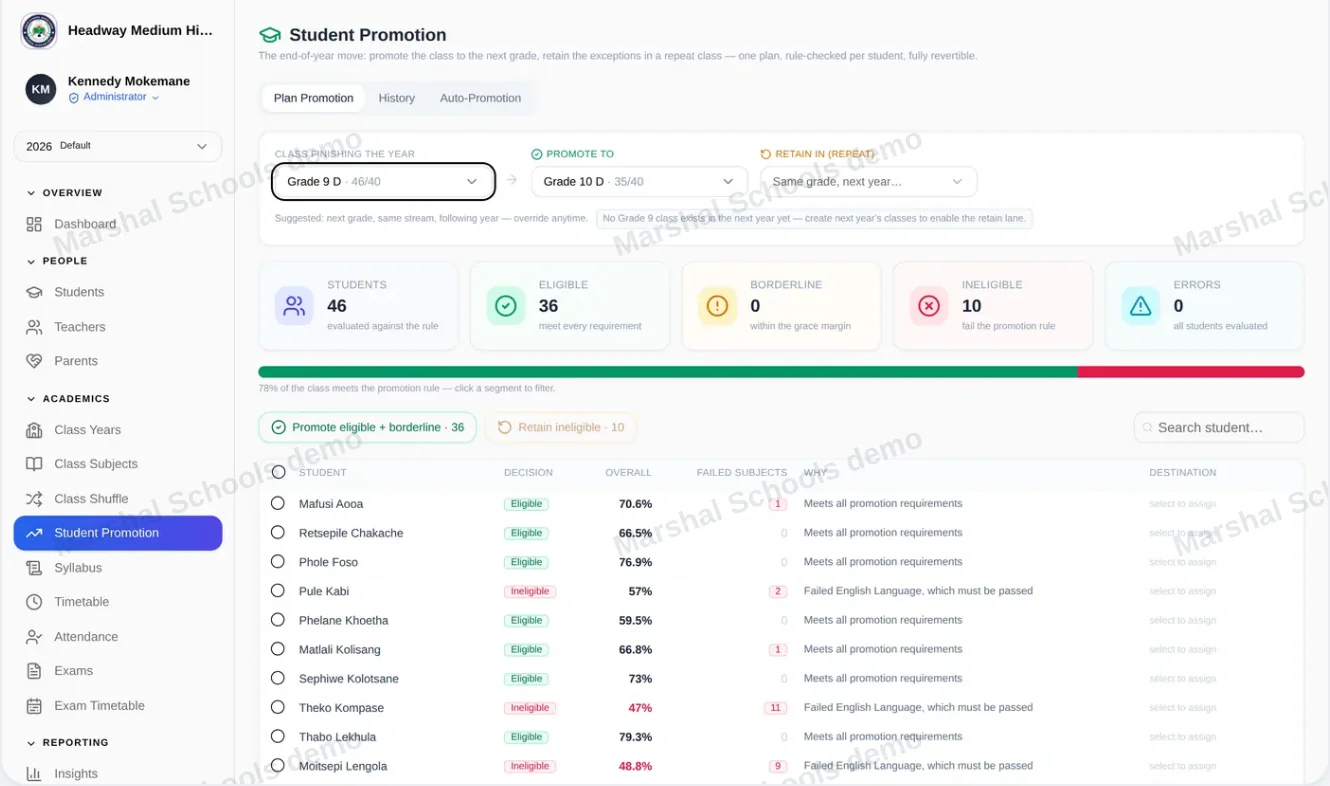
schools.marshal.co.ls/students/promotion
Schools — End of the year

06 End of the year

Decide who moves up. Keep every past year open.

Decide who moves up on the promotion board, close the year, and keep every past year open to read.

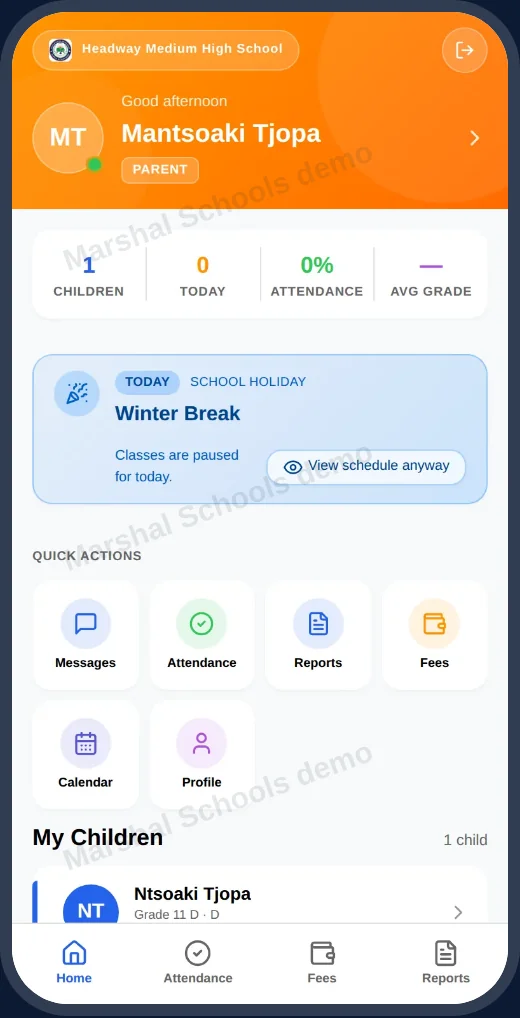
Teachers: Take the register for each lesson.

On the phone Teachers

Take the register for each lesson.

Subject teachers: Enter marks where they mark.

On the phone Subject teachers

Enter marks where they mark.

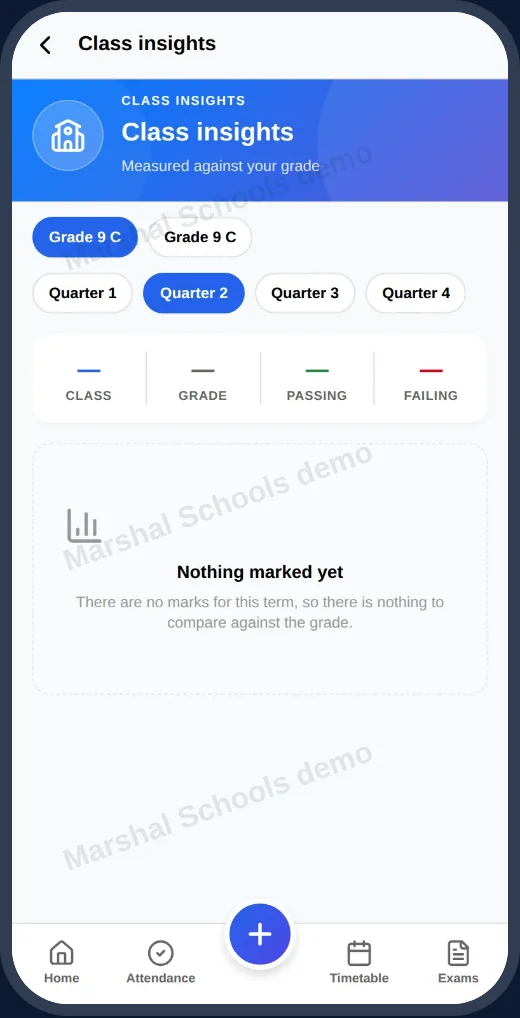
Class teachers: Keep an eye on their whole class.

On the phone Class teachers

Keep an eye on their whole class.

Parents: Follow their child through the year.

On the phone Parents

Follow their child through the year.

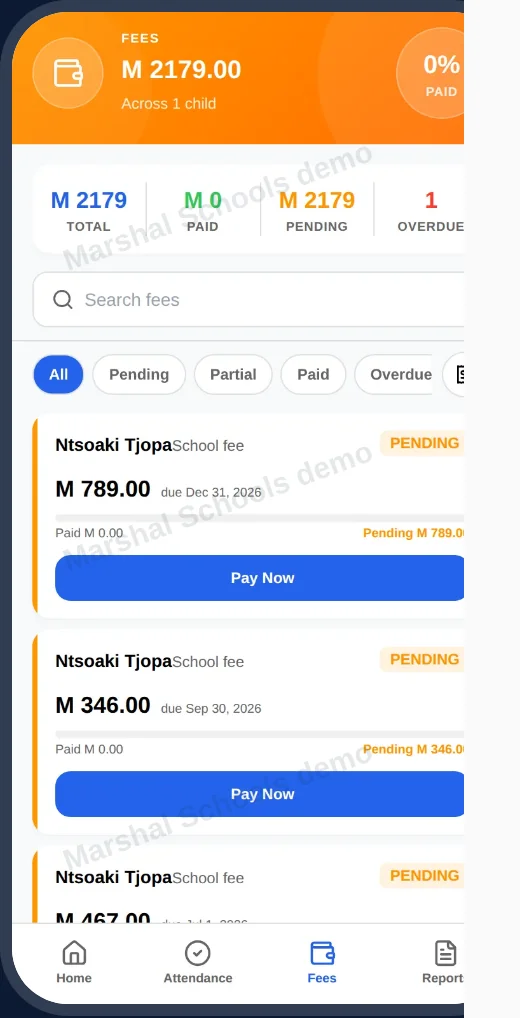
Parents: See what is owed and what is paid.

On the phone Parents

See what is owed and what is paid.

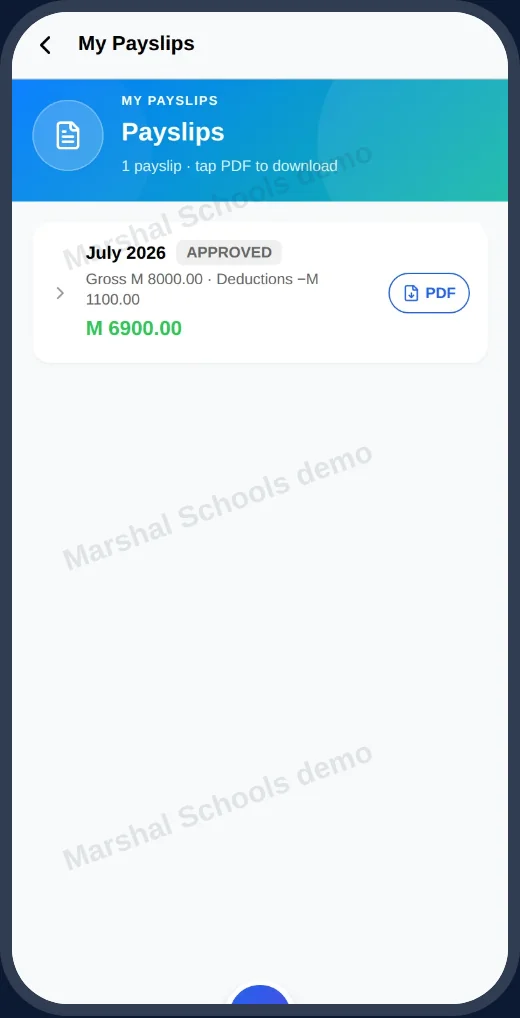
Staff: Open their payslips and apply for leave.

On the phone Staff

Open their payslips and apply for leave.

01

Insights

School average, pass rate, attendance and the weakest subject, by term and by grade.

02

Learners within reach

See the students just below their grade's minimum — where targeted support could flip a result.

03

Teacher performance

Results by teacher and subject, so the conversations start from the same numbers.

04

Messages home

Letters about absence and school news reach parents on their own phones.

05

Staff and payroll

Staff clock-in, leave requests and payslips sit beside the school accounts.

06

Every past year

Close the year without losing it. Every past year stays open to read.

Sign in with the username your school gave you, or get the Android app for your phone.

Visit Marshal Schools

02 / Sales pipeline · Teams in Southern Africa

Marshal CRM

Marshal CRM is a sales pipeline for teams in Lesotho and Southern Africa. Track deals in maloti, schedule the follow-ups, and see straight away which deals have gone quiet.

  • Deals tracked in maloti
  • A dormant-deals list at 08:00
  • Android and iPhone apps
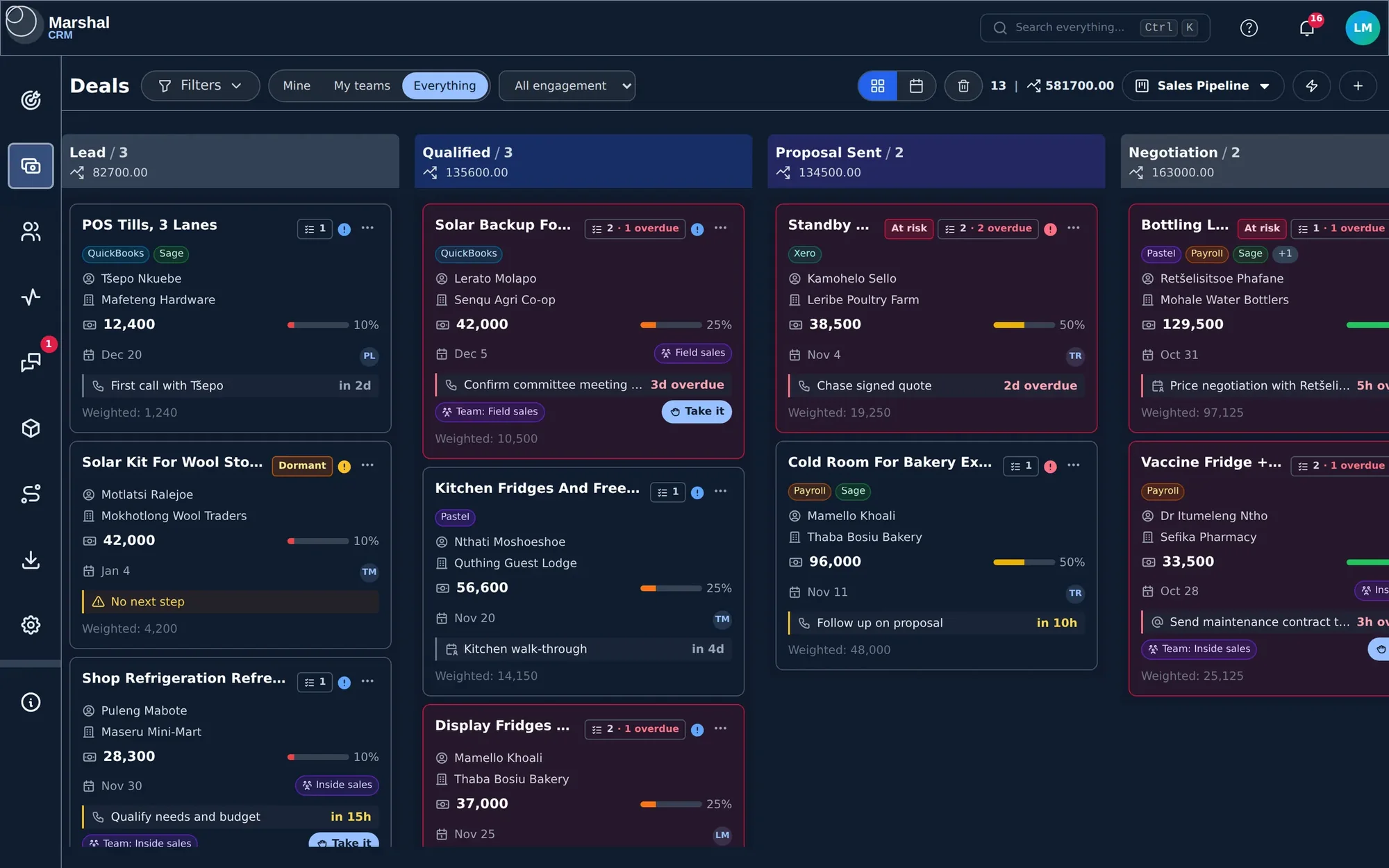
crm.marshal.co.ls/deals
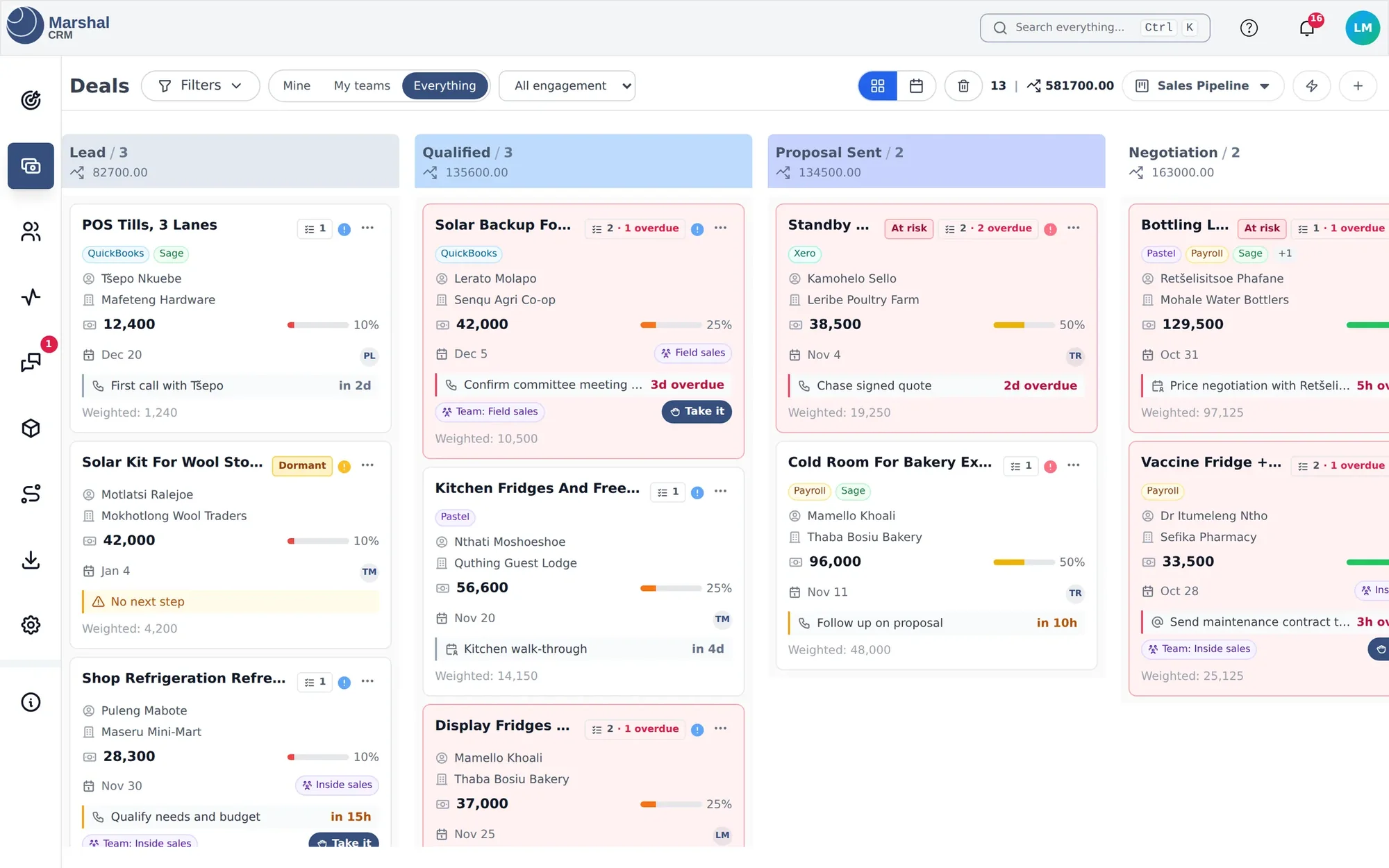
Marshal CRM deals board with Lead, Qualified, Proposal Sent and Negotiation columns
3health states on every deal: Active, Dormant, At risk
100point lead score on every prospect
08:00your list of quiet deals, every morning

Built around one rule: no open deal without a next step.
crm.marshal.co.ls/deals
CRM — The board

01 The board

Each card shows what happens next, and when.

Each card shows the deal's earliest open activity and when it is due. When you create a deal, move it to another stage or finish its last task, Marshal asks what happens next.

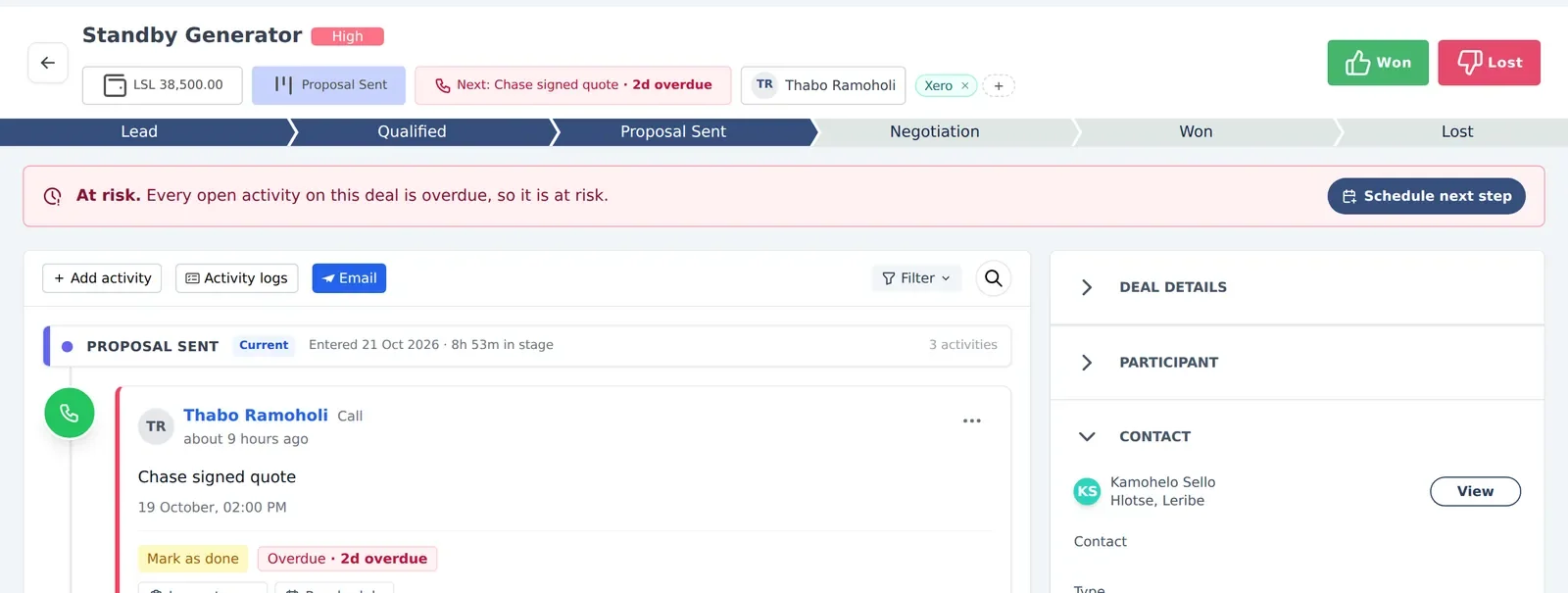
crm.marshal.co.ls/deals/standby-generator
CRM — Deal health

02 Deal health

Spot the deals that have gone quiet.

Marshal checks every open deal and prospect and labels its health on the card, on the deal page and in the board filters. A deal whose only open activities are overdue is marked At risk.

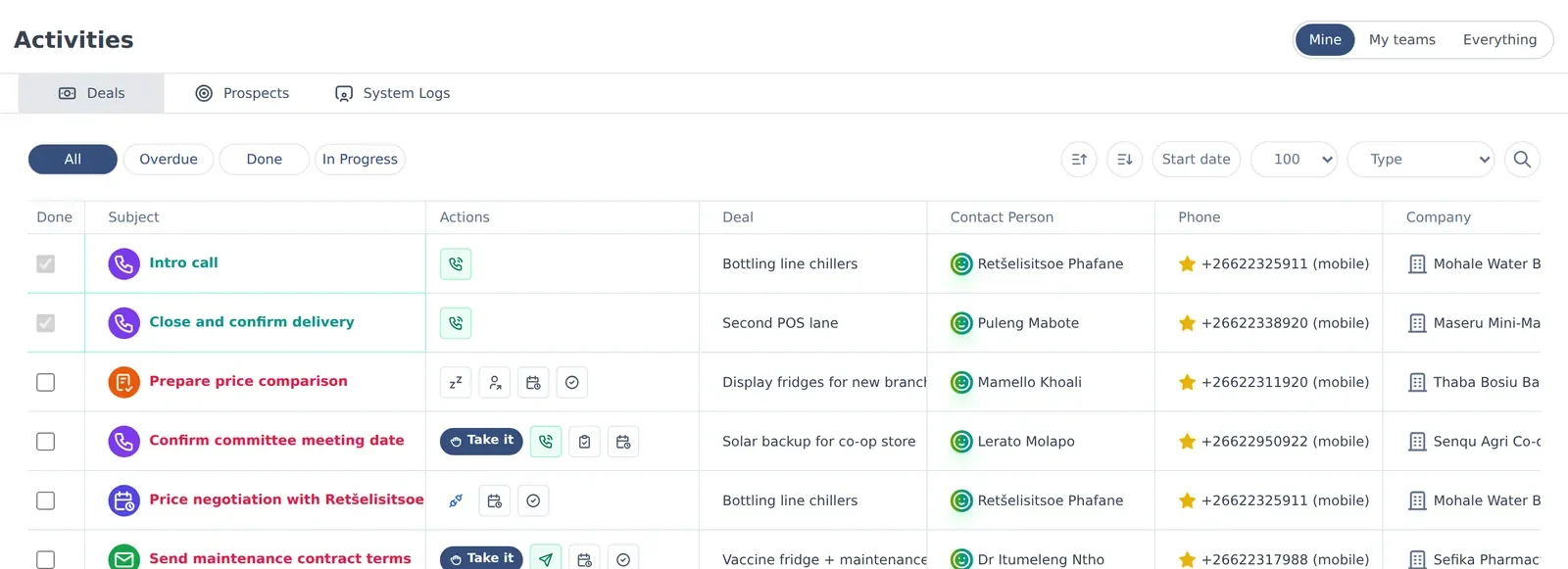
crm.marshal.co.ls/activities
CRM — Activities

03 Activities

Follow-ups your whole team can see.

Schedule calls, meetings, tasks and emails against a deal or prospect. Assign one to a team and anyone in it can click Take it. Google Calendar meetings arrive with a Meet link.

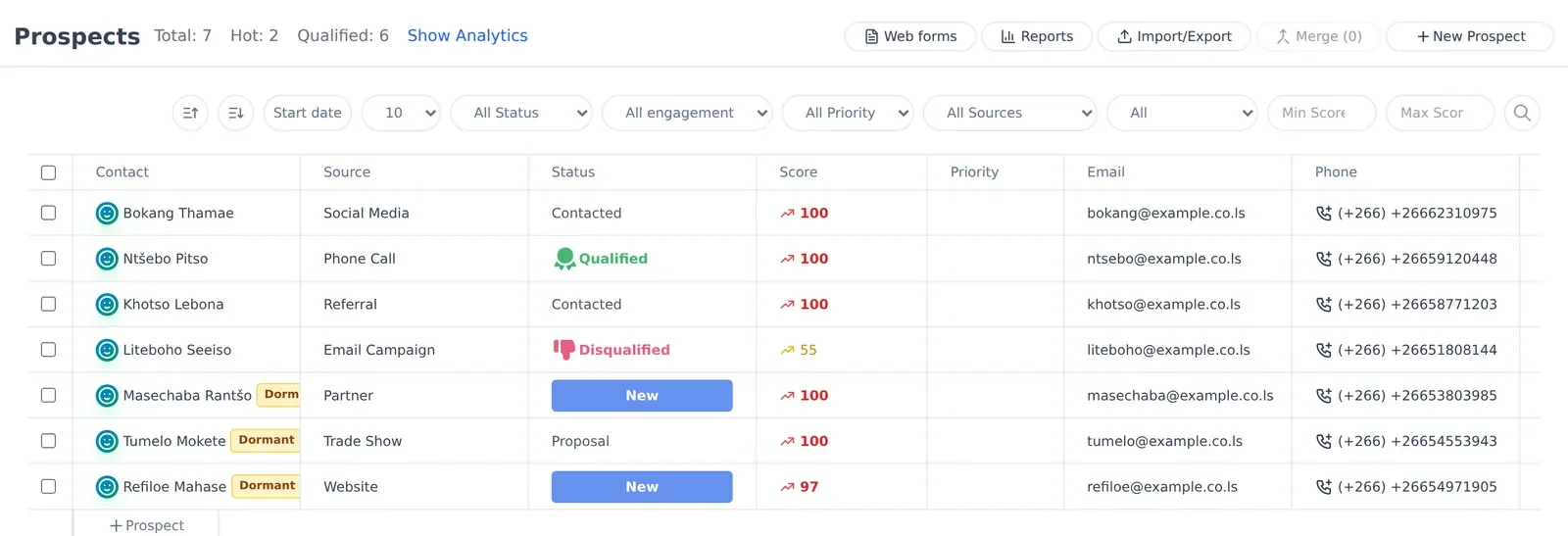
crm.marshal.co.ls/prospects
CRM — Prospects

04 Prospects

From first enquiry to a deal.

Keep prospects separate from deals until they are ready. Each gets a 0–100 lead score, and you can capture new ones with a web form on your own website. Convert one and it lands on the board with its history.

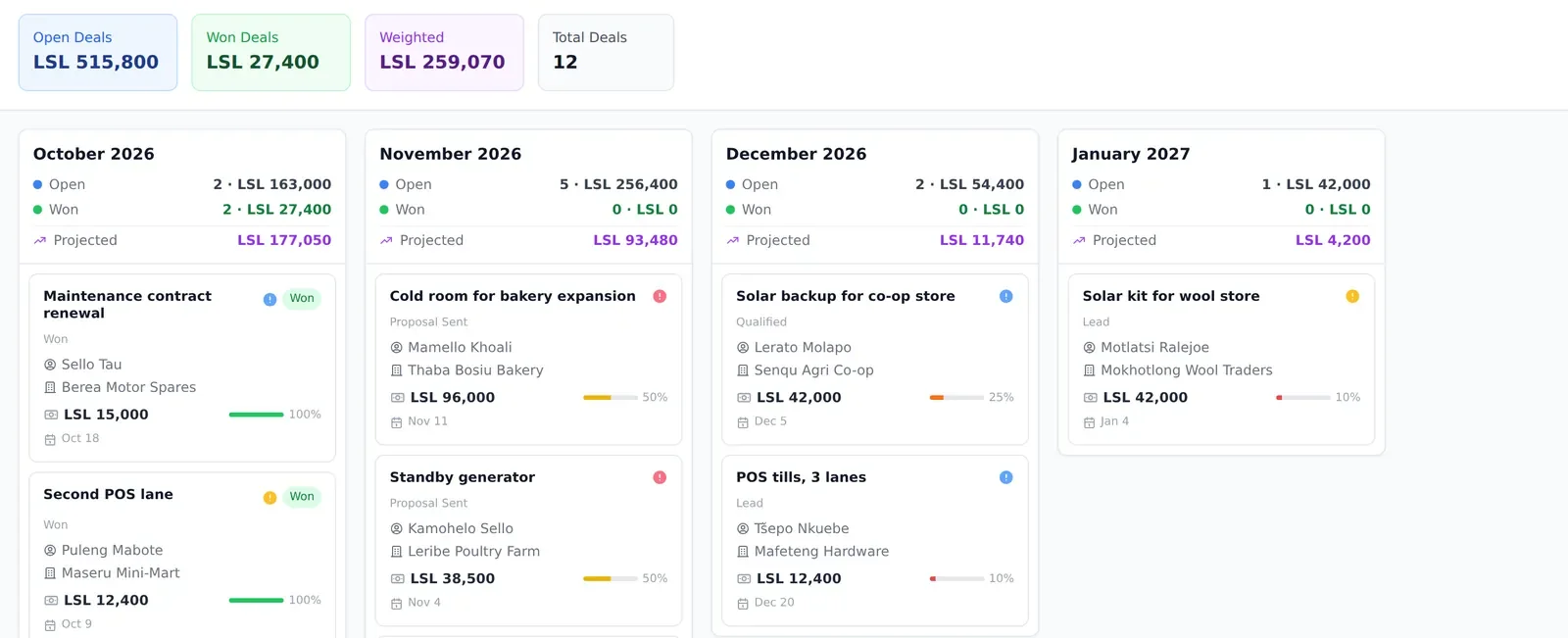
crm.marshal.co.ls/forecast
CRM — Forecast

05 Forecast

See what is likely to close, and when.

The forecast lays out open, won and projected amounts by month. Weighted value is the deal value multiplied by its probability.

crm.marshal.co.ls/messages
CRM — Messages

06 Messages

Talk to colleagues without leaving the CRM.

Direct messages, group and team chats, and mentions in comments on a deal's activities. Need help? Report a problem straight to the Marshal support team at Headway.

01

Team assignment

Assign deals and activities to a whole team. Everyone is notified; the first to take it becomes the owner.

02

Workflows

When a deal moves stage, create tasks, assign, notify, send an email or call a webhook — with conditions and delays.

03

Email from the deal

Write to the deal's contact from its page. The email is saved to the timeline.

04

Products in LSL

A catalogue you can attach to deals, with prices in maloti.

05

Imports

Bring in .xlsx, .xls or .csv and map each column to a Marshal field.

06

Roles and permissions

Decide who can view, create, edit or delete deals, contacts and settings.

Create a workspace, invite your team and add your first deal.

Visit Marshal CRM

03 / Point of sale & back office · Lekuka-ready

Marshal Business Suite

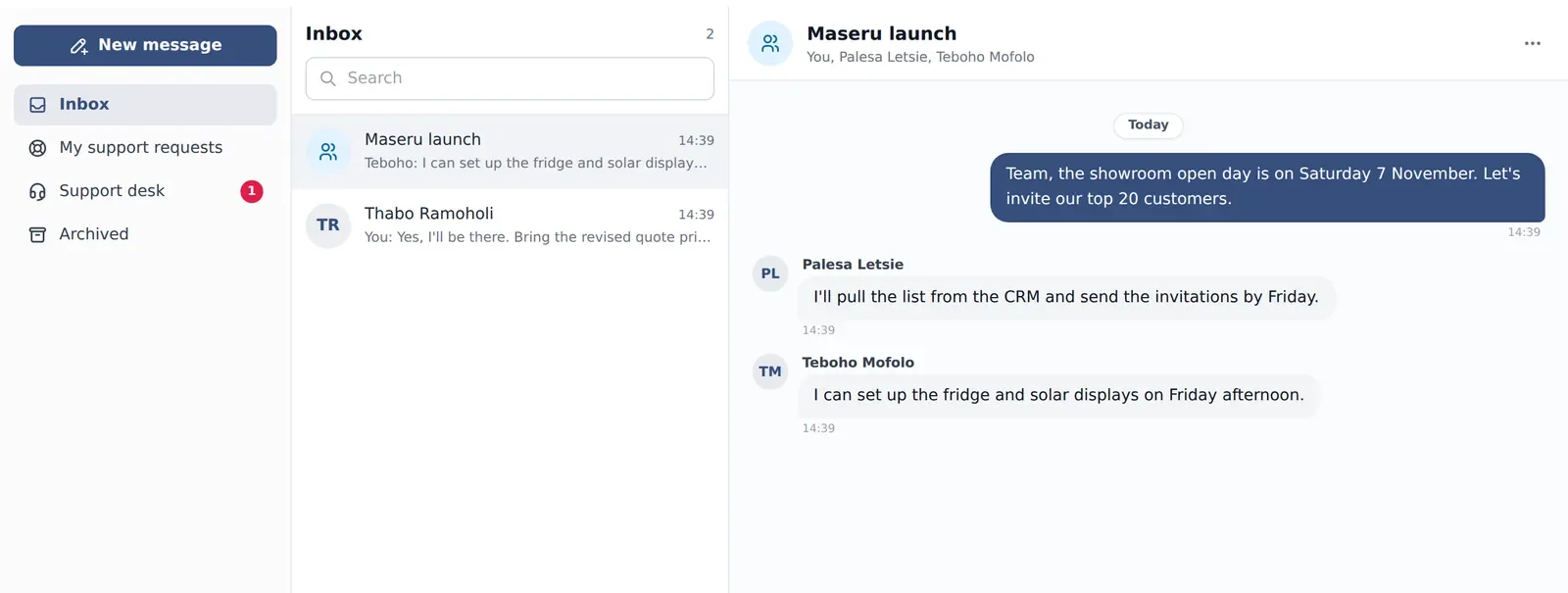
Marshal Business Suite is the point of sale and back office for businesses trading in Lesotho. Sales, stock, cash, invoicing and RSL e-invoicing work as one system — from the first scan of the morning to the end-of-day report in your inbox.

  • Every receipt signed and filed with RSL
  • Never waits on RSL at the counter
  • Any number of shops and warehouses
business.marshal.co.ls/sales
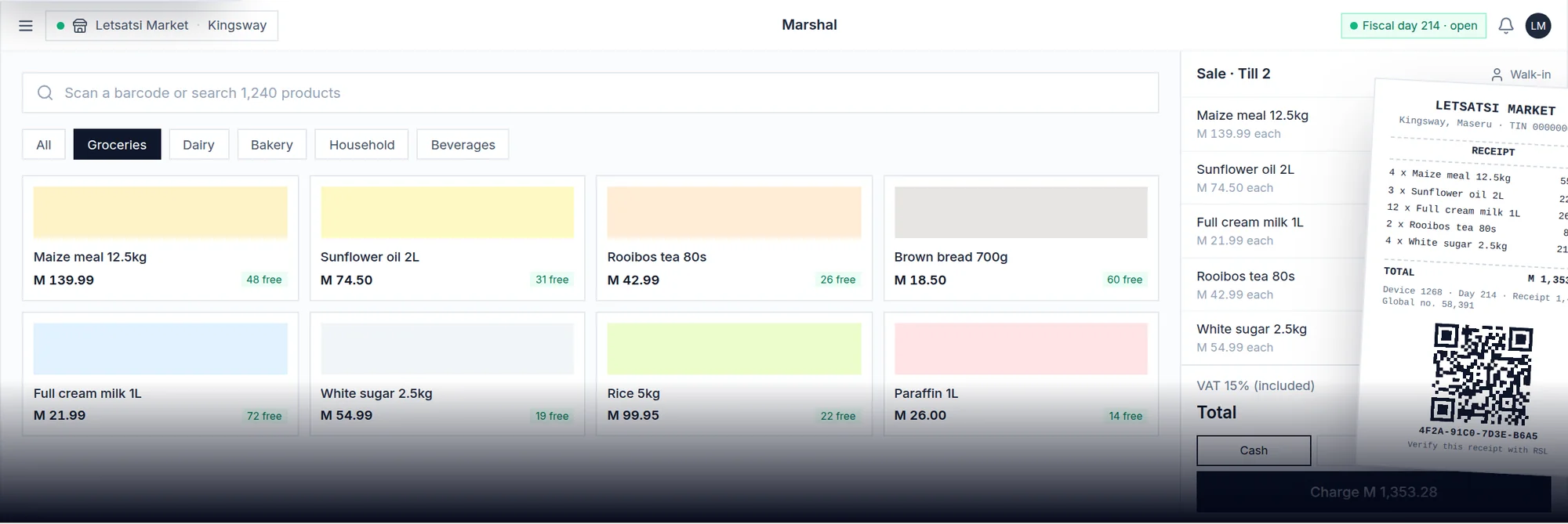
Marshal Business Suite till screen with product grid, current sale and a fiscal receipt with QR code
5Lekuka document types, all built in
1system for tills, stock, cash and invoicing
24/7fiscal days watched and closed before RSL's limit

Everything behind the counter, in one place.
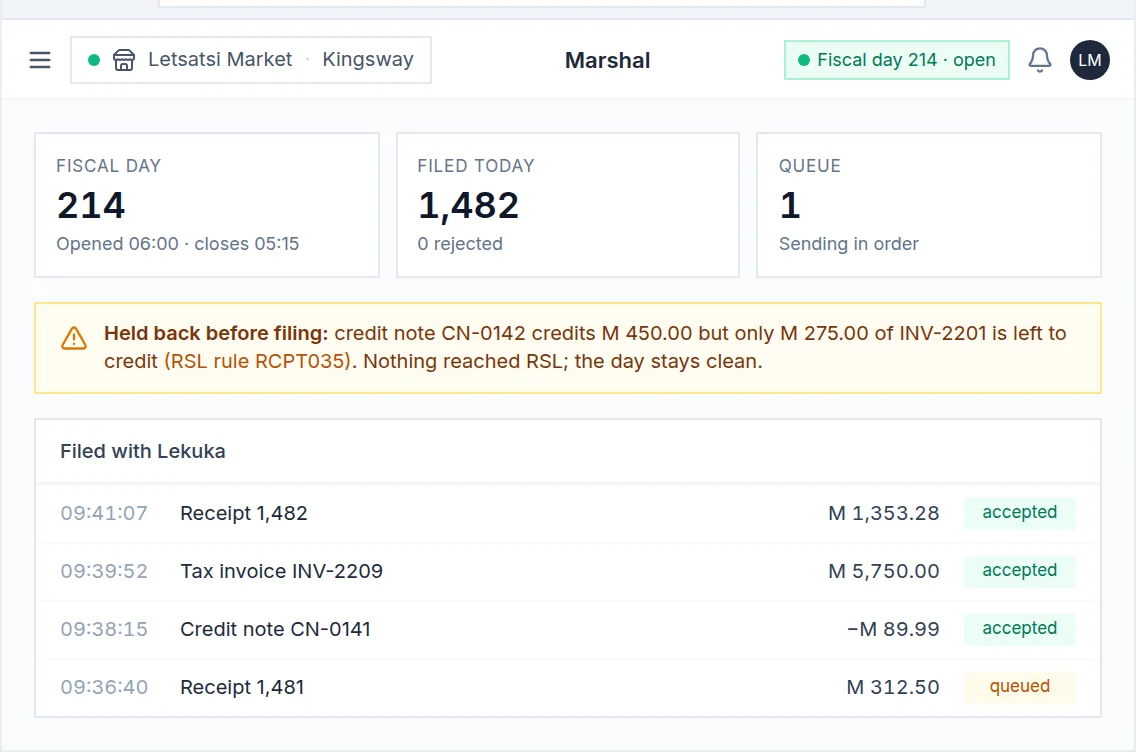
business.marshal.co.ls/settings/fiscal
Business Suite — Lekuka

01 Lekuka

Compliance isn't an add-on. It's how Marshal was built.

Every sale is signed on your fiscal device, numbered in sequence and filed with Lekuka as it happens. Before a document leaves the till, Marshal checks it against RSL's own rulebook — so a receipt RSL would flag is fixed at the counter.

business.marshal.co.ls/cash-management
Business Suite — Cash

02 Cash

Know where every loti is — till, drop, safe and bank.

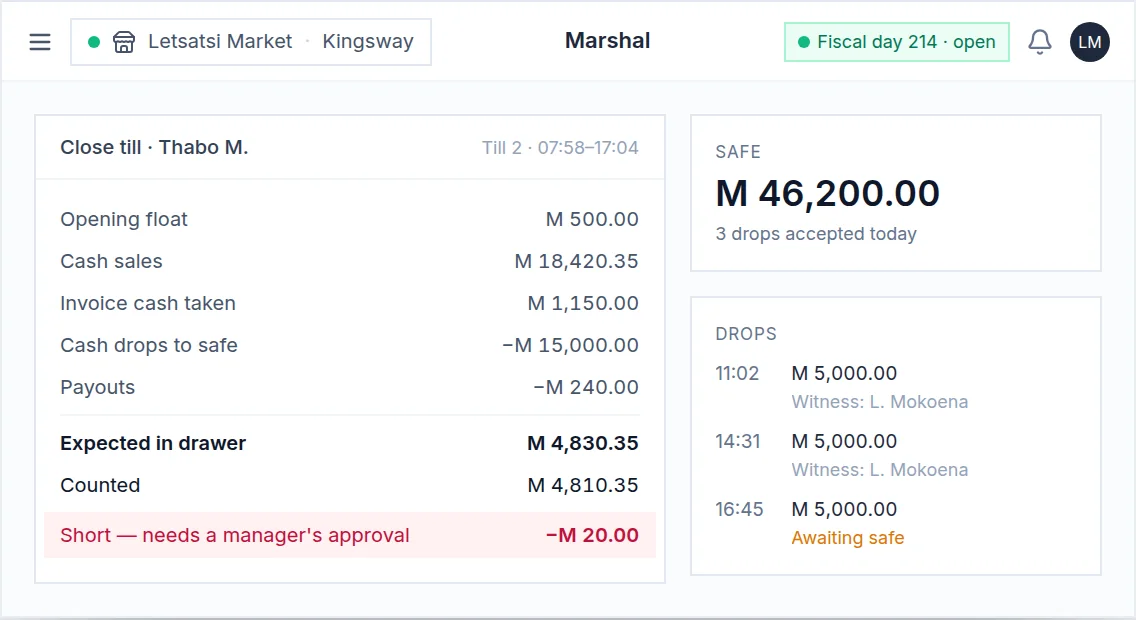
Cashier sessions with opening floats, witnessed cash drops, a safe ledger and a close-out that shows exactly what the drawer should hold. A shortfall needs a manager's sign-off.

business.marshal.co.ls/inventory/stock-taking
Business Suite — Stock

03 Stock

Stock you can trust, in every shop and warehouse.

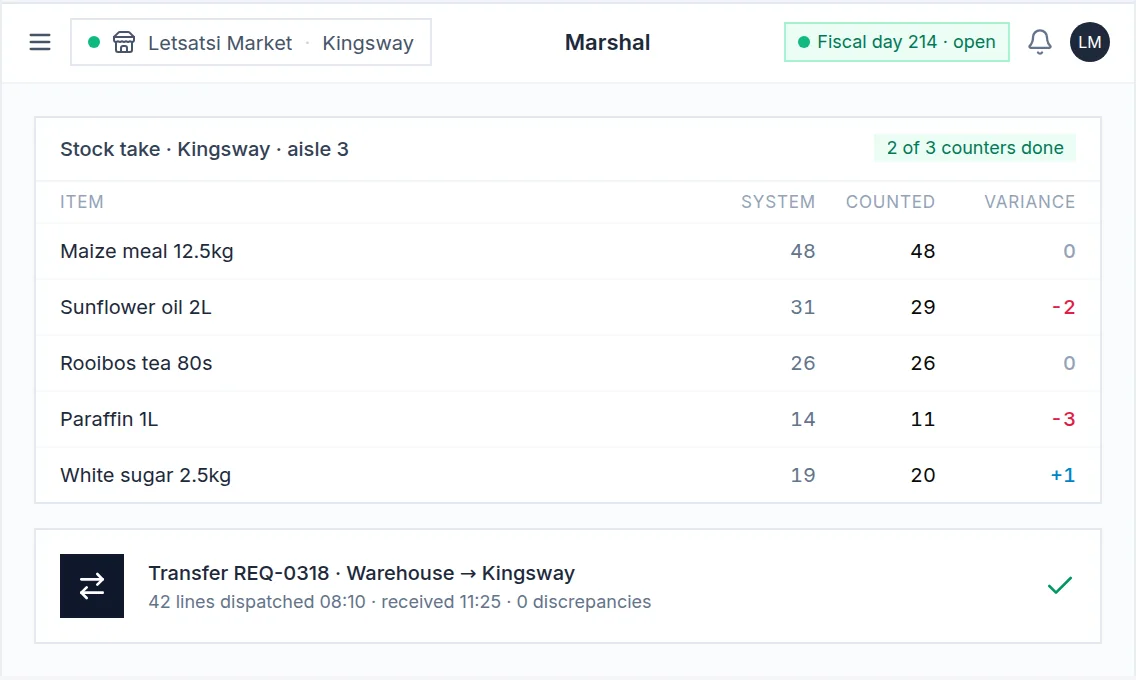
Requisitions and transfers, purchase orders with landed cost, batches and expiry dates, and stock takes that tell genuine shrinkage apart from stock that simply moved.

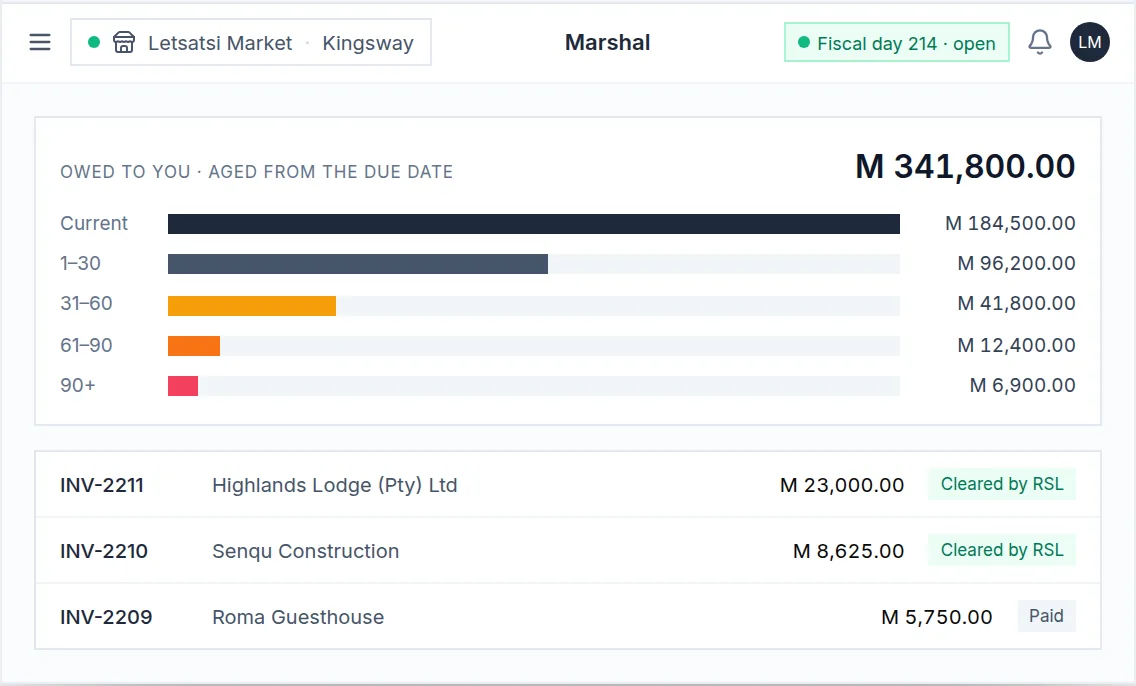
business.marshal.co.ls/receivables
Business Suite — Invoicing

04 Invoicing

Tax invoices cleared with RSL the moment you issue them.

Quotations become invoices, invoices are cleared with Lekuka at issue, and receivables age from the due date — so you know who to call first.

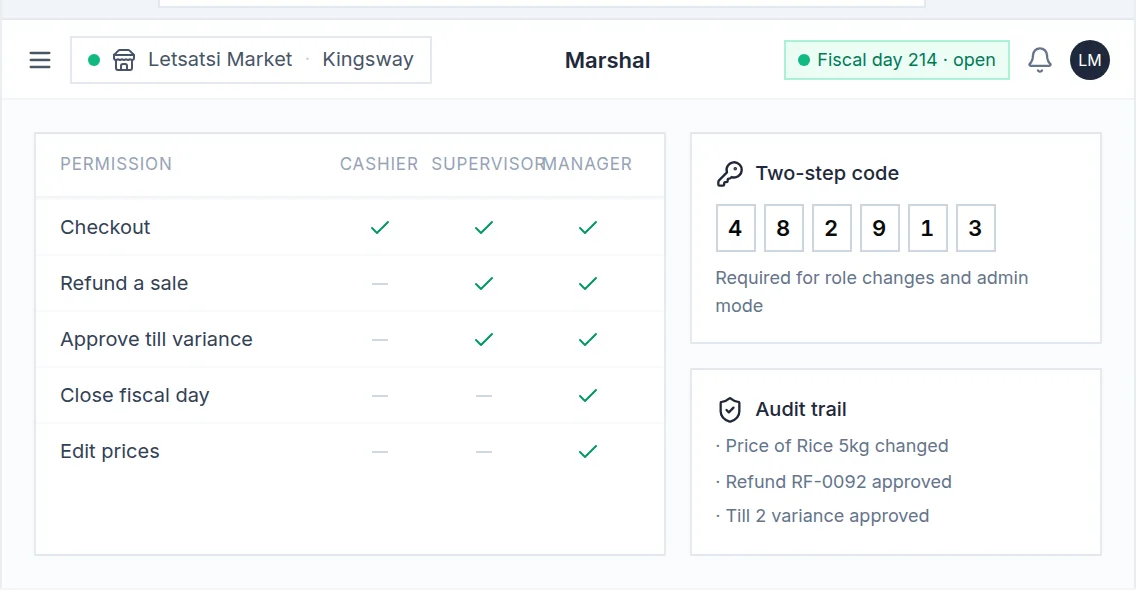
business.marshal.co.ls/settings/users
Business Suite — Control

05 Control

The right people do the right things — and you can prove it.

Roles for each shop, access requests a manager approves, a two-step code before cash moves, and a trail of who changed what, when.

01

Checked before it's filed

RSL's rules run on every document before it leaves the till. A mistake is caught while the customer is still at the counter.

02

The queue keeps moving

A slow or unreachable RSL never holds up the counter. Sales carry on and are filed in order as soon as RSL answers.

03

Nothing to reconcile

The receipt, the stock movement and the cash all come from the same sale.

04

Answerable to an inspector

Every receipt carries RSL's verification code, and every change carries a name and a time.

05

Cash, card and mobile money

Each recorded against the right account. Deposits and instalments are filed once settled.

06

Already have a system?

File through ours: a REST API with a full sandbox, signed webhooks, and an upload portal for systems that can only export a file.

Try it free for 3 months. No contract. No payment. Love it? Then commit.

Visit Marshal Business Suite

04 / Farm management · Web back-office + Android

Marshal Fields

Marshal Fields is the farm manager for agricultural operations: fields and land, crops and plantings, seasons, field activities, equipment, inventory and finances — with a web back-office for the office and an Android app for the people in the field.

  • Field boundaries drawn on the map
  • GPS-tracked walks and work sessions
  • Two-factor sign-in
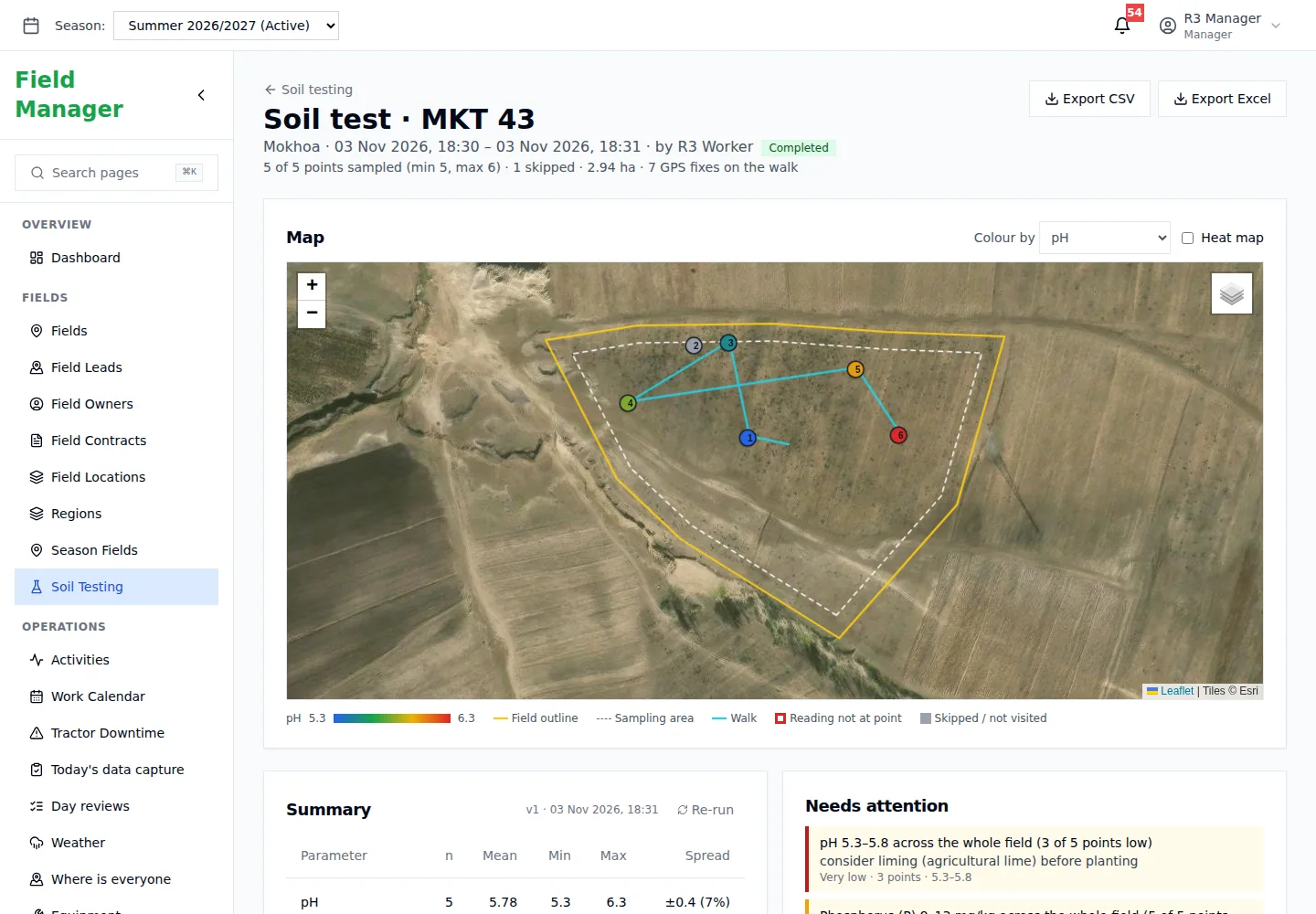
fields.marshal.co.ls/soil-testing
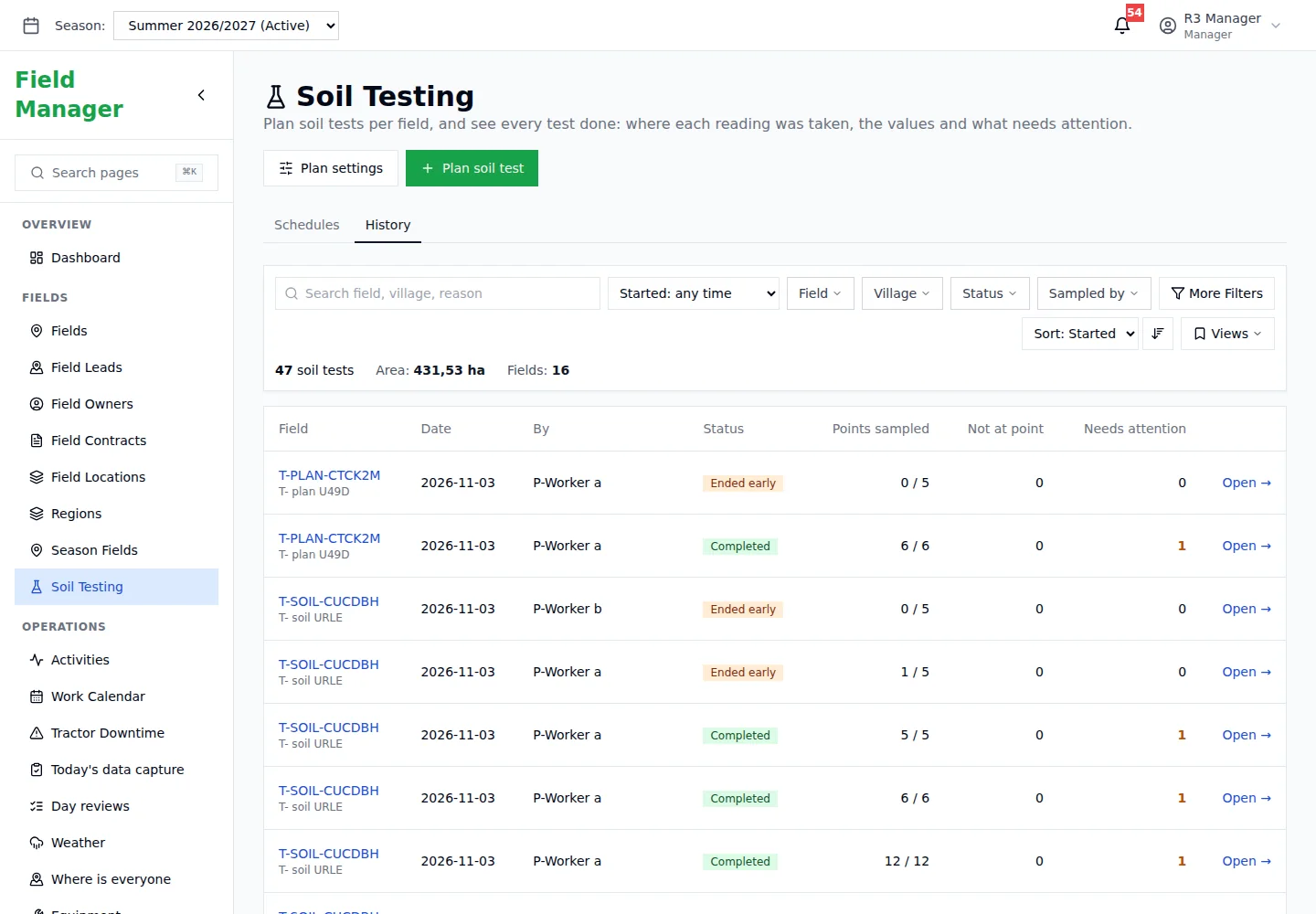
Marshal Fields soil test session showing the field boundary on a satellite map with sampling points
3roles: admin, manager and field worker
2apps, one record: web back-office and Android
1map with every field, owner and contract

From the office map to the worker standing in the field.
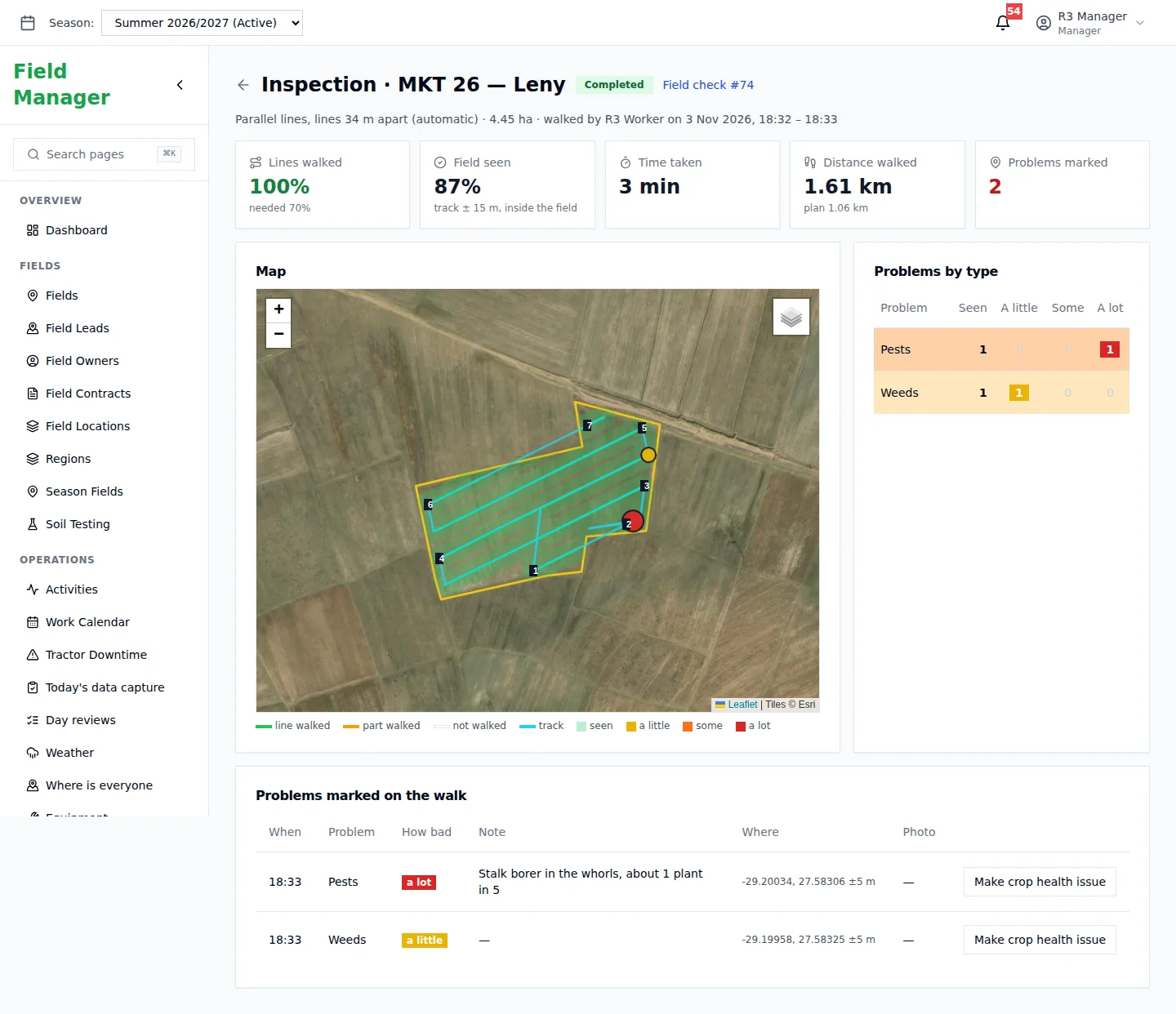
fields.marshal.co.ls/inspections
Fields — Fields & land

01 Fields & land

Every field drawn on the map, with its owner and contract.

Field boundaries drawn on a map with automatic hectare calculation, field owners, procurement contracts with share percentages, GPS field locations and regions.

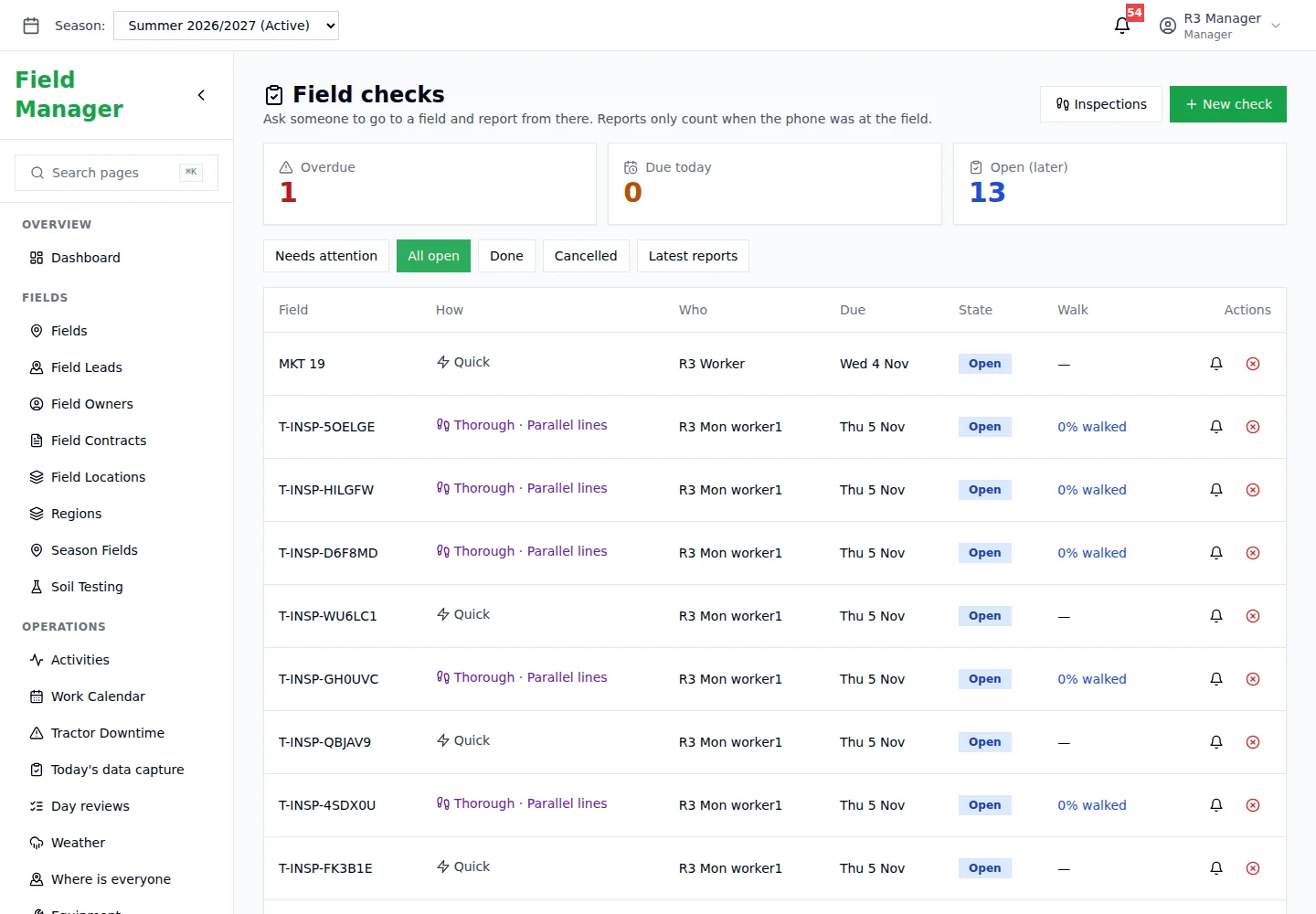
fields.marshal.co.ls/field-checks
Fields — Field checks

02 Field checks

Ask someone to go and look — and know they did.

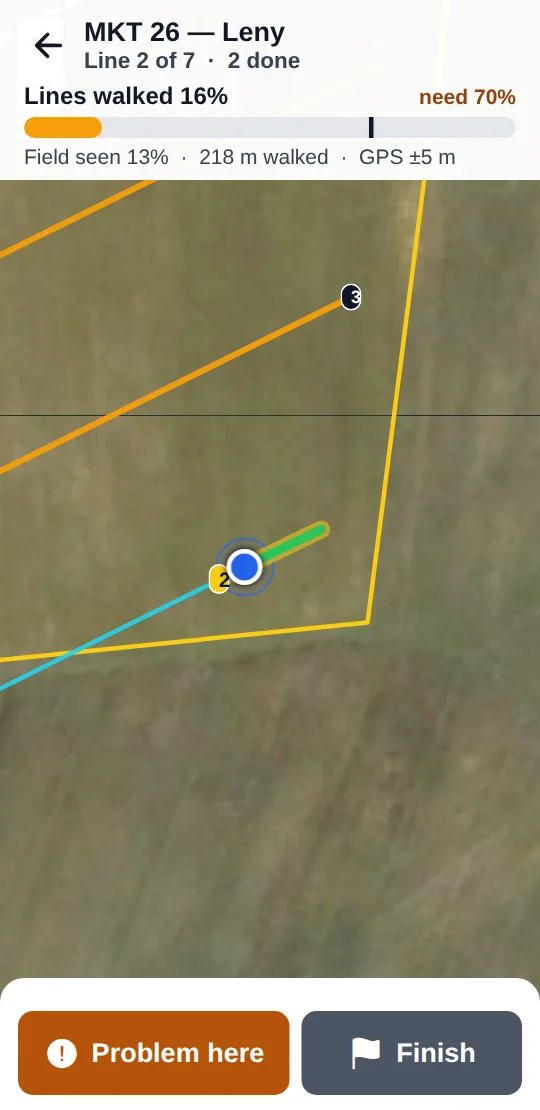
Schedule quick or thorough checks. The walk is tracked by GPS, problems are marked where they're found, and the report only counts when the phone was at the field.

fields.marshal.co.ls/soil-testing
Fields — Soil testing

03 Soil testing

Plan the test, walk the points, get the plan.

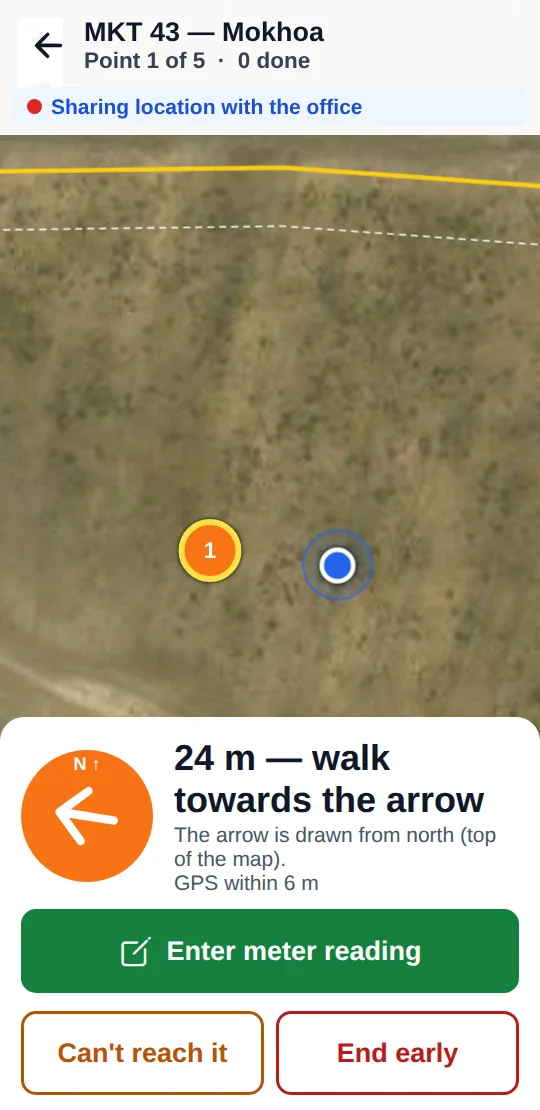
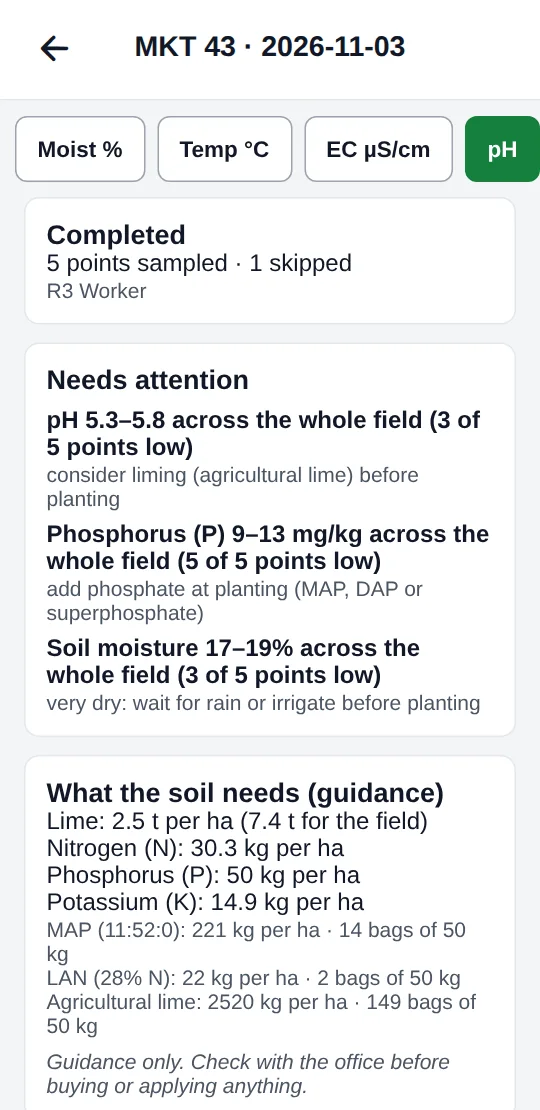
Plan soil tests per field and see every reading — moisture, temperature, EC and pH — with what needs attention and a lime and fertiliser plan as guidance.

fields.marshal.co.ls/reports/sessions
Fields — Work sessions

04 Work sessions

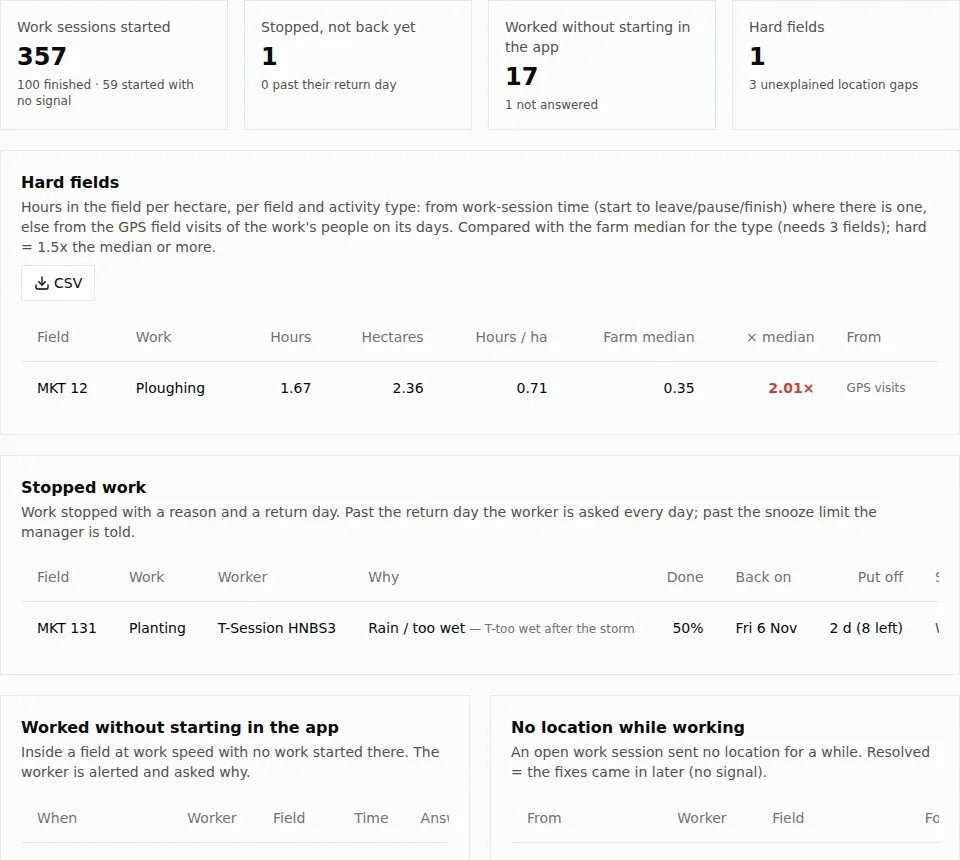
What each tractor did today — and the fields that ran slow.

Workers start work at a field, log fuel, problems and expenses, and close the day. Hours per hectare are compared with the farm's median, and stopped work comes back with a reason.

fields.marshal.co.ls/field-leads
Fields — Land leads

05 Land leads

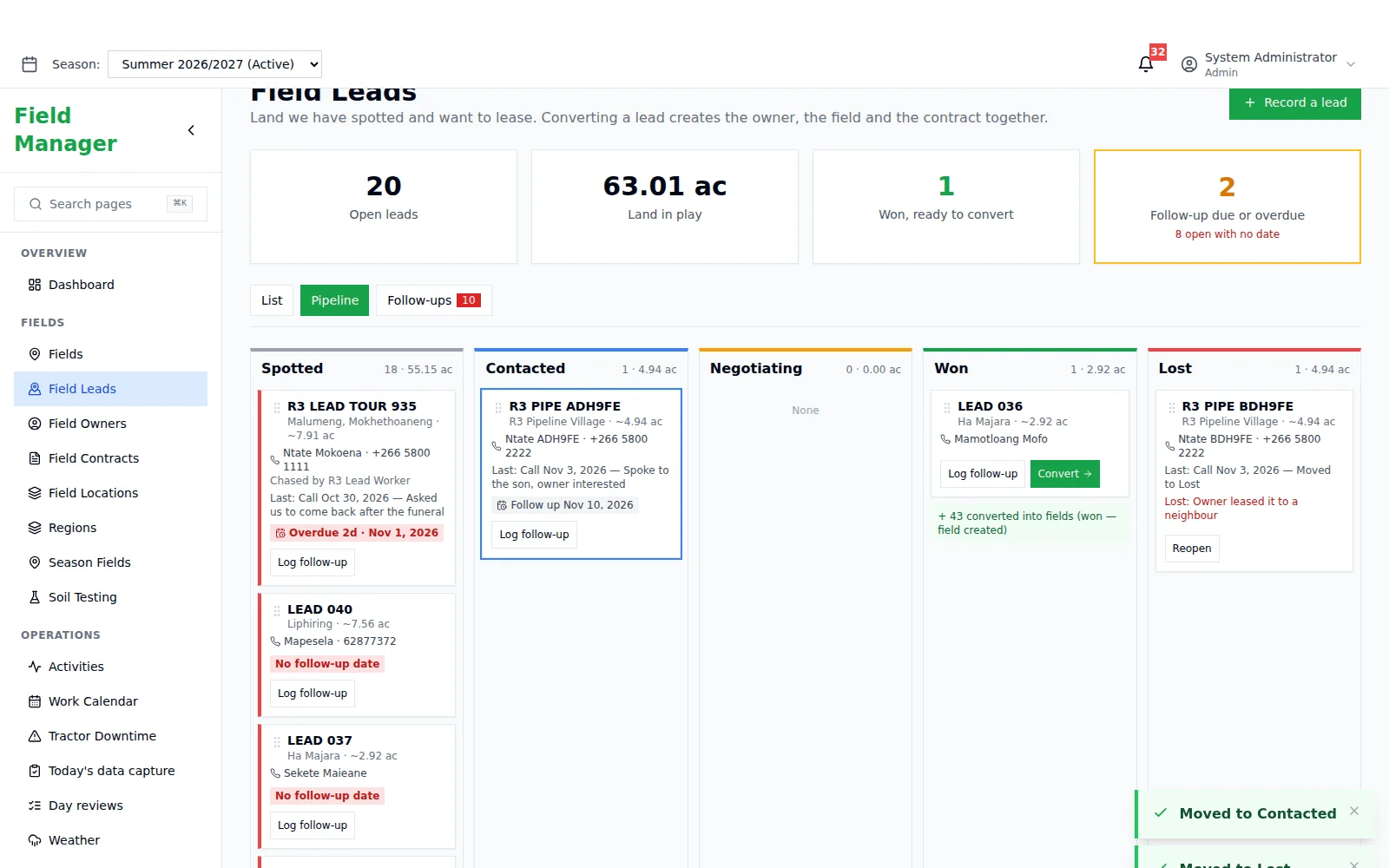
Land you want, from spotted to signed.

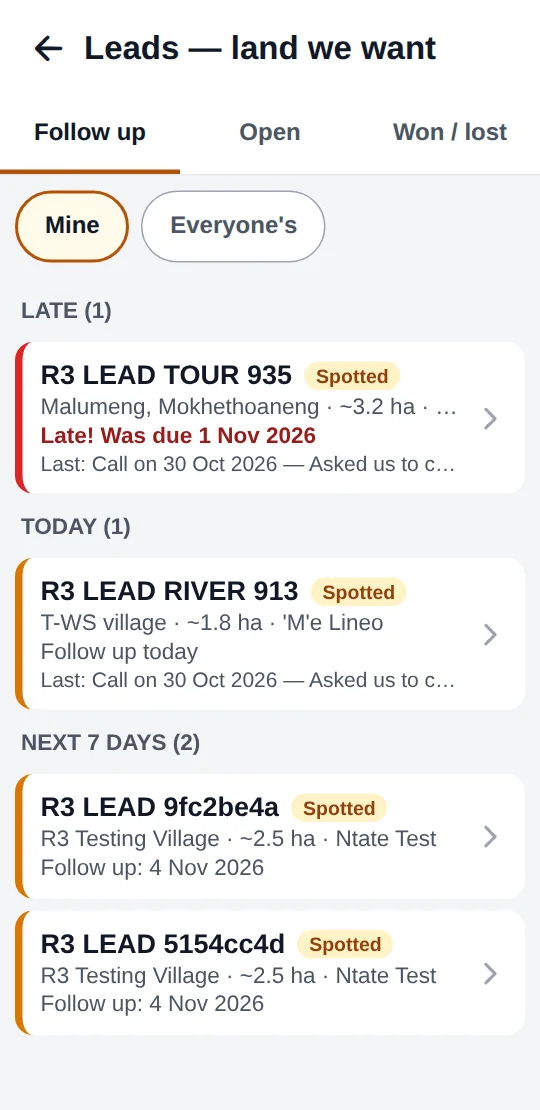
Record land you've spotted and want to lease. Follow-ups, a pipeline from Spotted to Won, and converting a lead creates the owner, the field and the contract together.

Every morning: Weather, today's jobs and a warning when it's too windy to spray.

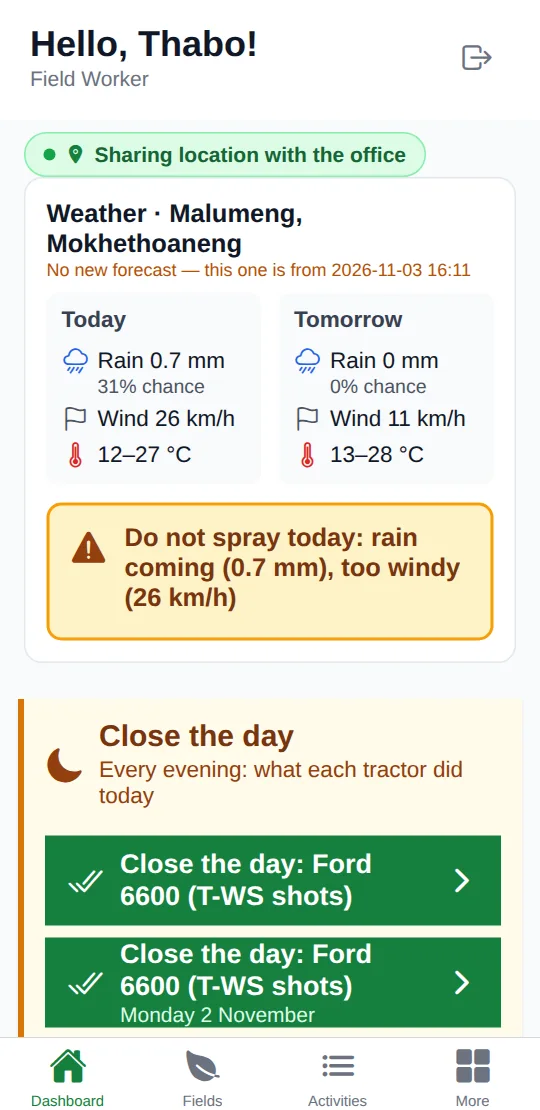
In the field Every morning

Weather, today's jobs and a warning when it's too windy to spray.

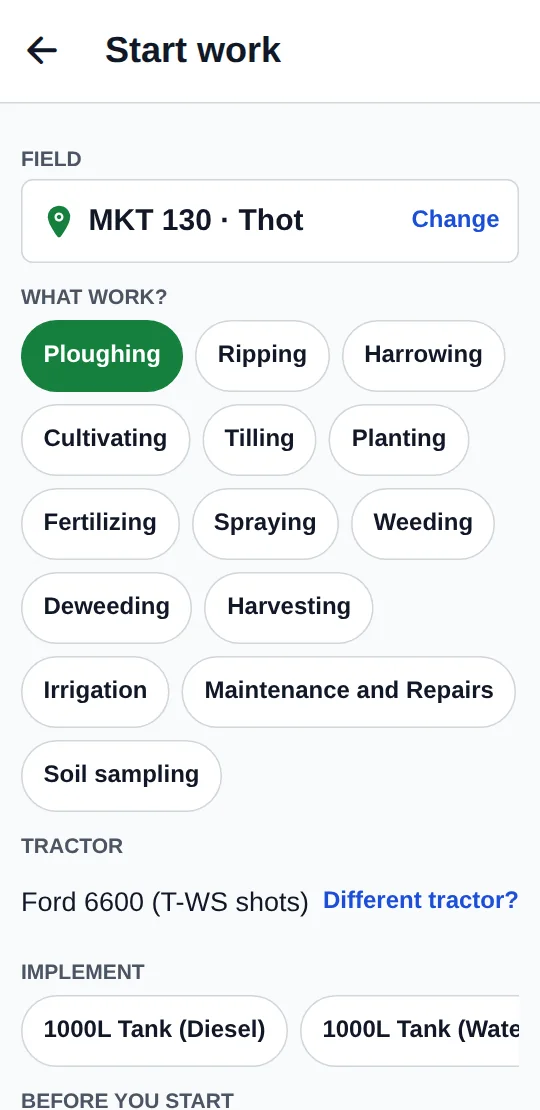
Starting work: Pick the field, the work, the tractor and the implement.

In the field Starting work

Pick the field, the work, the tractor and the implement.

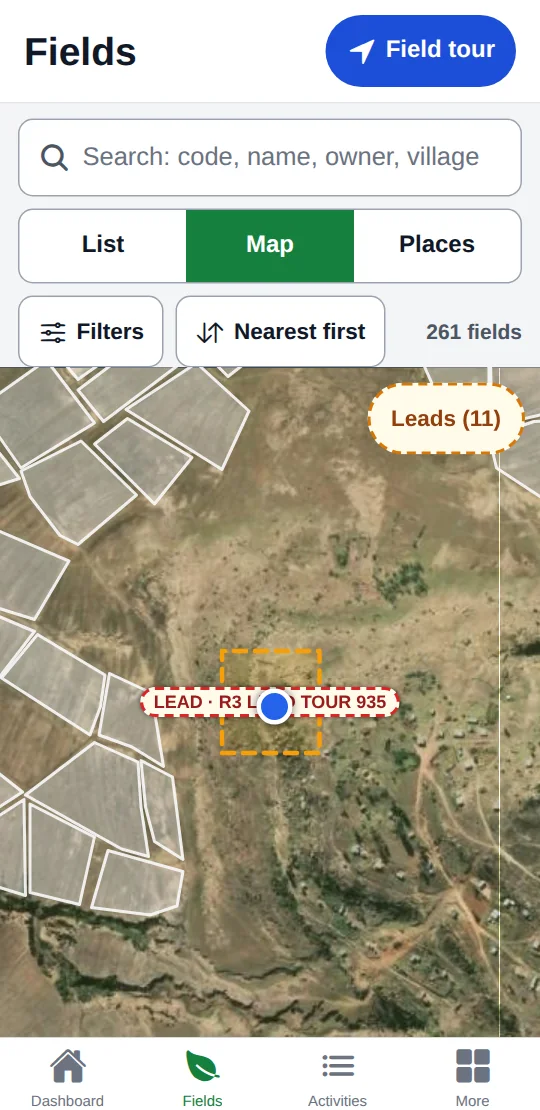
The map: Every field nearby, with leads marked on the satellite view.

In the field The map

Every field nearby, with leads marked on the satellite view.

Field checks: Walk the lines; the app tracks how much of the field was seen.

In the field Field checks

Walk the lines; the app tracks how much of the field was seen.

Soil testing: An arrow walks you to each sampling point.

In the field Soil testing

An arrow walks you to each sampling point.

Results: What needs attention, and what the soil needs.

In the field Results

What needs attention, and what the soil needs.

Land leads: Follow-ups due today, late or coming up.

In the field Land leads

Follow-ups due today, late or coming up.

01

Seasons

Seasons thread through activities, expenses, income, fuel and usage logs, with a default season per user.

02

Crops & plantings

Crop catalog, crop health and issue tracking, planned plantings and approval flows for updates.

03

Equipment & fuel

Tractors with fuel logs, part tracking and downtime.

04

Inventory

Items, stock transactions and usage logs against fields and activities.

05

Finance

Expenses by vendor, category and equipment; income with customers, invoices and payment status.

06

Notifications

In-app and push notifications, with WhatsApp Business and email integrations.

Tell us about your fields and your team, and we'll show you Marshal Fields on your own land.

Visit Marshal Fields

05Get started

Pick your product. Start today.

01 / Schools

Pricing built around your school.

Every school is different. We put together a package that fits your size, the modules you need and your budget — no one-size-fits-all tiers.

03 / Business Suite

Three months free. No contract. No payment.

You start by checking one of your invoices — 30 seconds, and we set up your account from it. No card needed.

04 / Fields

Run the farm from one map.

Tell us about your fields and your team, and we'll show you Marshal Fields on your own land.

06Why Marshal

Built the way the work is actually done here.

01

Made in Lesotho

Designed, built and supported by Headway in Maseru — for the way schools, shops, sales teams and farms work here.

02

Maloti first

Fees, deals, tills and invoices are kept in maloti, and the Business Suite files every receipt with RSL's Lekuka.

03

On the phone you already have

Teachers take registers, field workers log the day and sales teams follow up — on Android, in the browser, or both.

04

Every change has a name

Roles, permissions and audit trails throughout, with two-step codes where money or access moves.

05

The next step is always clear

Deals without a follow-up, classes without a register, fields without a check — Marshal points at what needs doing.

06

People you can call

Support comes from the team that builds it — in Maseru, on the phone, in your language.

07Questions

Asked before you sign up.

Do I have to use all four products?

No. Each Marshal product stands on its own — a school uses Marshal Schools, a shop uses the Business Suite. Use one, or more as you grow.

Does it work on the phone?

Yes. Marshal Schools and Marshal Fields have Android apps, Marshal CRM has apps for Android and iPhone, and everything works in the browser.

How is it priced?

The Business Suite starts with three months free. Schools are quoted by size and modules. For CRM and Fields, talk to us and we'll fit it to your team.

Who supports it?

Headway, the team in Maseru that builds Marshal. Write to support@headway.co.ls or call +266 5744 9424.

What happens if RSL is slow or down?

The till keeps selling. Receipts are filed in order as soon as RSL answers, so the queue never waits.

Which Lekuka documents are supported?

All five: receipts, tax invoices, credit notes, debit notes and payouts.